
YouTube transcripts are written versions of the spoken content found in videos. They serve as a valuable resource, enhancing how we consume video content. With transcripts, viewers can easily follow along, reference specific segments, or even absorb the information more effectively. Whether it’s for personal understanding or to assist those who are hard of hearing, YouTube transcripts hold incredible potential. They aren’t just beneficial for accessibility; they also play a role in improving content discovery and SEO. In this blog post, we’ll explore what
Why You Might Need YouTube Transcripts
YouTube transcripts can be a game changer in various scenarios. Here are some compelling reasons why you might find them beneficial:
- Accessibility: For individuals with hearing impairments, transcripts provide an essential way to access and understand video content. They ensure that everyone, regardless of their abilities, can enjoy the wealth of information available on YouTube.
- Better Comprehension: Reading while listening can enhance understanding. Transcripts allow viewers to grasp complex topics more easily, as they can pause, read, and reflect on the information at their own pace.
- Study Aid: Students often find transcripts useful for reviewing lectures or tutorials. They can highlight key points, take notes directly from the transcript, or quote specific sections for assignments.
- Content Localization: If you’re a non-native speaker, transcripts can help with language acquisition. They provide a written reference to follow along, making it easier to pick up pronunciation and vocabulary.
- SEO and Content Creation: For content creators, using transcripts can improve SEO. Search engines can index the text, making videos more discoverable. Additionally, creators can repurpose transcripts into blog posts or articles, reaching a broader audience.
How to Access YouTube Transcripts
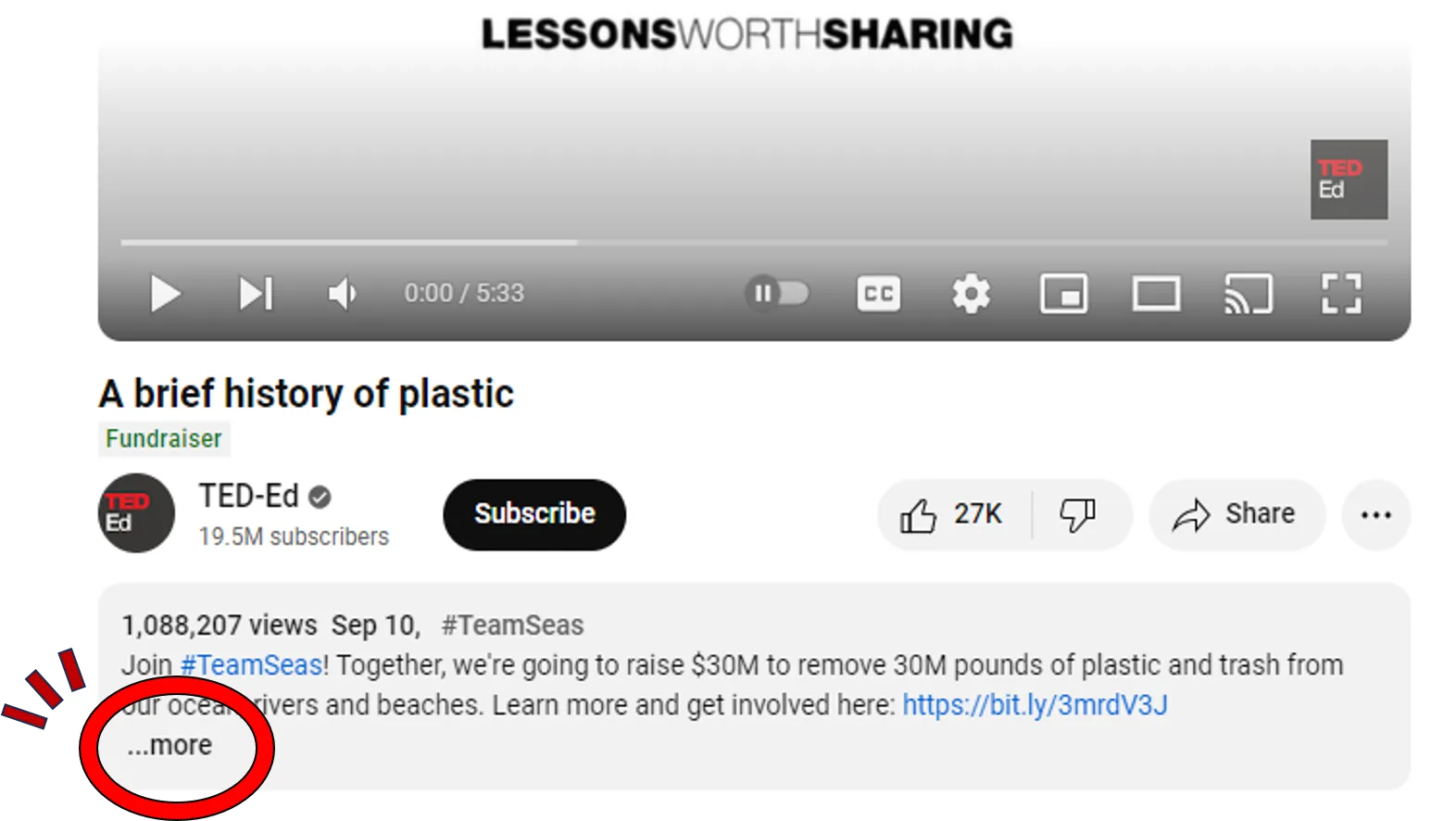
Accessing YouTube transcripts is super straightforward and a fantastic way to enhance your understanding of video content, especially if you’re keen on improving accessibility. So, let’s dive right into it!
Usually, YouTube automatically generates transcripts for many videos—especially popular ones—using speech recognition technology. Here’s how you can access them:
- Open the Video: First, navigate to the YouTube video you want to check. It can be a tutorial, a lecture, or anything that interests you!
- Look for the Three Dots: Beneath the video, you’ll find an icon with three dots (⋮) near the ‘Like’ and ‘Share’ buttons. Click on these dots.
- Select the Transcript Option: In the dropdown menu, you’ll see an option labeled “Open transcript.” Click on this, and voila! The transcript will appear on the right side of the video player.
This feature is especially useful because it lets you read along as you watch, making it easier to pick up key ideas or complex information. Plus, you can jump to specific parts of the video by clicking on any section of the transcript!
Do keep in mind that not every video has this feature available, especially if the creator has disabled transcripts. If that’s the case, don’t worry—there are still ways to get the transcript, which we’ll cover next!
Downloading Transcripts Using YouTube Features
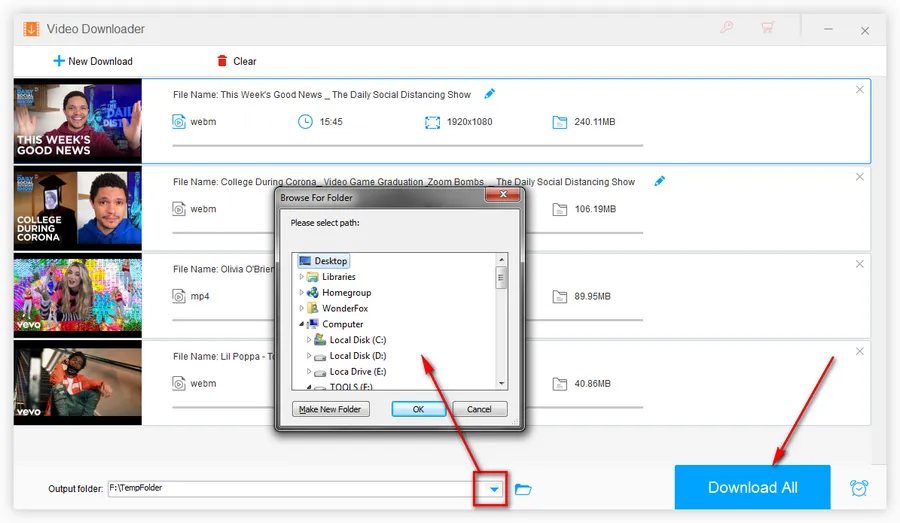
Alright, so you’ve found the transcript. But how do you download it? Fortunately, YouTube has a couple of user-friendly approaches to help you grab those transcripts for your notes, study sessions, or accessibility needs. Let’s walk through it!
Here’s a simple step-by-step guide:
- Access the Transcript: As we discussed earlier, click on those three dots below the video and select “Open transcript.”
- Select the Transcript Text: Once the transcript appears, click and drag your cursor to select the entire text. It’s usually a straightforward process. Don’t forget to include any timestamps if you want to refer back to specific parts of the video!
- Copy the Text: Right-click the selected text (or use Ctrl+C on Windows / Command+C on Mac) to copy it to your clipboard.
- Paste and Save: Open a document editor like Notepad, Word, or Google Docs. Paste the transcript (Ctrl+V on Windows / Command+V on Mac) and then save your document.
Tip: If you want a clean version without timestamps, you might want to spend a minute editing the pasted content to remove those indicators.
And there you have it! You’ve successfully accessed and downloaded your YouTube transcript. This method not only enhances your accessibility options but can also help you study or revisit the material as needed.
Integrating Transcripts into Your Content
Transcripts are powerful tools that can significantly enhance your content, making it more accessible and engaging for a broader audience. Integrating transcripts into your website, blog, or video content is not only about providing information but also about improving the user experience. Here’s how you can effectively integrate transcripts:
- Embed Transcripts: Consider embedding transcripts directly below your videos or audio files. This allows users to read along while watching or listening, catering to different learning styles.
- Use Descriptive Headings: Break down your transcripts with clear headings and subheadings. This helps users navigate the content easily and find specific sections they may be interested in.
- Highlight Key Points: Use bullet points or bold text to emphasize key takeaways from the transcript. This aids readers in quickly grasping the essential information.
- Include Search Functions: If possible, implement a search function within your transcripts. This can help users find specific topics or keywords more efficiently.
- Link to Supplementary Resources: When relevant, link specific parts of the transcript to additional resources or articles. This encourages deeper engagement and provides your audience with more comprehensive information.
By integrating transcripts smoothly into your content, you make it more useful and ensure that it reaches a wider range of people, including those who may be deaf or hard of hearing.
Enhancing Accessibility with Transcripts
Accessibility is crucial in today’s digital landscape. Incorporating transcripts can dramatically enhance accessibility for various user groups. Here’s how transcripts can make your content more inclusive:
- Support for Different Learning Styles: People learn in different ways; some prefer auditory learning, while others benefit from visual aids. Transcripts provide a text-based alternative for those who find reading more helpful.
- Assistance for the Hard of Hearing: Transcripts are essential for viewers who are deaf or hard of hearing. This ensures that everyone can access your content without barriers.
- Language Accessibility: Offering transcripts in multiple languages can broaden your audience. Non-native speakers often find written content easier to understand than spoken language.
- SEO Benefits: Transcripts can boost your search engine optimization (SEO). Search engines can crawl text more effectively than audio or video content, enabling your material to be found by more people.
- Improved User Experience: By providing a transcript, you cater to users who may want to revisit specific points or skim through content quickly. This enhances overall engagement.
In conclusion, giving your audience access to transcripts isn’t just about meeting legal obligations; it’s also about fostering an inclusive and engaging environment for everyone. By enhancing accessibility through transcripts, you make significant strides toward a more equitable digital experience.
Best Practices for Creating and Using Transcripts
Creating and utilizing transcripts effectively can significantly enhance accessibility and improve the user experience. Here are some best practices to keep in mind:
- Accuracy is Key: Ensure your transcript accurately reflects the spoken content of the video. Misinterpretations can lead to confusion, especially for non-native speakers.
- Use Clear Formatting: Structure your transcripts for easy readability. Break the text into paragraphs, and include speaker labels when necessary.
- Timestamping: Adding timestamps helps users follow along with the video. It allows viewers to jump to specific sections easily, making the content more navigable.
- Include Non-Speech Information: Don’t forget to describe sounds and visual elements that may be important to the context, such as music, sound effects, or any significant visual cues.
- Regular Updates: If your video content changes or is updated, make sure to revise the transcript accordingly to maintain its accuracy.
- Making It Accessible: Use accessible formats (.txt, .docx, .srt) so it’s easy for users to download or view on different devices.
- Promote Awareness: Let your audience know that transcripts are available. This can include mentioning it in the video description or during the video itself.
By following these best practices, you not only improve accessibility for diverse audiences but also enhance the overall quality of your content.
Conclusion and Final Thoughts
In today’s digital landscape, ensuring accessibility through thoughtful practices such as providing transcripts is not just a nicety; it’s a necessity. Here’s a quick recap of why transcripts are vital:
- Enhanced Understanding: Transcripts aid in comprehension, especially for those with hearing impairments or learning disabilities.
- Better Engagement: People can consume content in various ways, and having a transcript allows for multitasking and easier navigation through the material.
- SEO Benefits: Search engines can index written content better than videos alone, potentially improving your content’s reach and visibility.
To wrap it all up, whether you’re a content creator, educator, or business professional, prioritizing transcripts sends a clear message: you value inclusivity. So, take these tools, implement them, and watch how they positively impact your audience’s experience. Remember, accessible content is good content!