
When it comes to creating content on YouTube, audio quality is often overlooked, yet it plays a crucial role in engaging your audience. While high-definition video can certainly capture attention, if the audio is poor, viewers are likely to click away faster than you can say “unsubscribe.” In a world where users have countless options, delivering clear and crisp audio can set you apart from the competition.
In this guide, we’ll explore the different types of microphones available, their features, and how they can enhance your YouTube videos. Whether you’re doing vlogs, tutorials, or gaming streams, having the right microphone can transform your production quality dramatically.
Importance of Choosing the Right Microphone
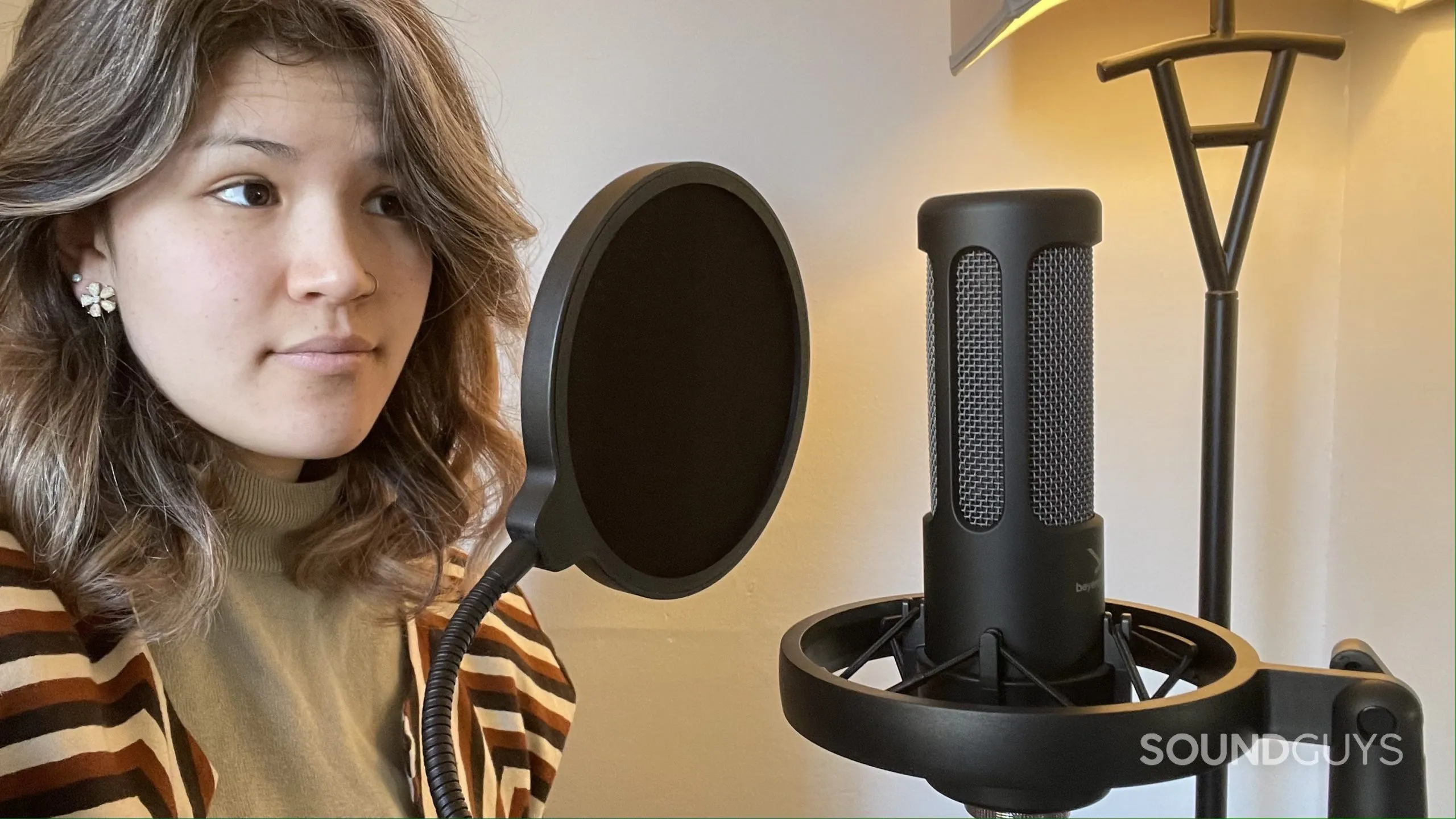
Choosing the right microphone is absolutely essential for a successful YouTube channel. Here’s why:
- Audio Clarity: The main goal of any good microphone is to capture your voice clearly. Poor audio can result in a frustrating experience for your audience, making them less likely to stick around.
- Professionalism: High-quality audio lends an air of professionalism to your videos. When viewers hear clear sound, they are more apt to take your content seriously.
- Versatility: Different types of microphones cater to different needs. Whether you’re recording voiceovers, interviews, or outdoor vlogs, having the right mic can enhance your content dramatically.
- Noise Reduction: Many high-quality microphones come equipped with features that minimize background noise. This is especially handy if you’re recording in less-than-ideal environments.
- Audience Retention: Good audio can keep your audience hooked. If they can hear you clearly, they are more likely to watch your videos all the way through.
Ultimately, investing time and resources into choosing the right microphone is a decision that will pay off in spades. So let’s dive into the various options to help you find the perfect fit for your YouTube journey!
Best USB Microphones for Beginners
If you’re a budding YouTuber, investing in a good microphone can dramatically improve the audio quality of your videos. USB microphones are particularly appealing for beginners due to their affordability and ease of use. No extra equipment is needed—just plug it into your computer and start recording! Here are some fantastic options to consider:
- Blue Yeti: This versatile microphone offers multiple polar patterns, making it suitable for various recording situations. From solo vlogging to interviews, the Blue Yeti delivers crisp audio quality.
- Audio-Technica ATR2100x: With both USB and XLR outputs, it’s a great starter mic that you can grow with. It’s robust and has excellent sound clarity.
- FIFINE K669B: Known for its budget-friendly price and good sound quality, it’s perfect for those just starting without breaking the bank.
- Rode NT-USB: This microphone boasts a pop filter and comes with a tripod stand, delivering studio-like sound quality in a simple design.
When choosing a USB microphone, think about your specific needs—like whether you plan to record solo or with guests. A good mic can make you sound more professional, helping your content stand out in the crowded YouTube landscape.
Top XLR Microphones for Professional Quality
If you’re serious about your YouTube career and looking to elevate your audio game, investing in an XLR microphone is a wise choice. XLR mics typically offer superior sound quality and flexibility compared to their USB counterparts. However, they do require an audio interface or mixer for operation. Here are some top XLR microphones favored by professionals:
| Microphone | Key Features | Price Range |
|---|---|---|
| Shure SM7B | Dynamic, Cardioid Pattern, Smooth Frequency Response | $399 |
| Audio-Technica AT2020 | Condenser, Wide Frequency Range, Affordable | $99 |
| Rode NT1 | Condenser, Extremely Low Self-Noise, Warm Sound | $349 |
| AKG C214 | Condenser, High SPL Handling, Excellent Detail | $699 |
Choosing the right XLR microphone depends on your recording environment, budget, and personal preferences. If you’re set on creating high-quality content, investing in a good XLR microphone can take your audio to the next level, allowing your audience to fully engage with your message.
7. Wireless Microphones and Their Benefits
If you’ve ever watched a YouTube video where the creator moves around freely without being tethered to their recording setup, chances are they were using a wireless microphone. These devices have gained popularity for good reason, especially among content creators who value mobility and flexibility in their recording setup.
So, what are some of the benefits of wireless microphones? Let’s explore:
- Freedom of Movement: Wireless microphones allow creators to move around freely without the restrictions of cables. This is especially useful for vlogs, tutorials, or any type of content that requires physical activity.
- Clean Aesthetics: Without wires strewn across the set, your video setup can look more professional and visually appealing. This is particularly important for YouTubers focusing on aesthetics.
- Versatile Use: These microphones are great for interviews, live events, or group settings where multiple speakers might come into play. You can easily pass the mic around without fussing with cables.
- Improved Audio Quality: Many wireless models come with advanced technology that offers clear, high-quality audio, minimizing background noise and interruptions.
Despite these perks, it’s crucial to select a wireless microphone that suits your specific needs. Look for reliable brands, assess battery life, and ensure the range meets your requirements.
8. Audio Accessories to Enhance Microphone Performance
While choosing the right microphone is a fundamental step in achieving high-quality audio, incorporating some audio accessories can significantly boost performance. These accessories can help improve sound quality, reduce noise, and make your recording process smoother.
| Accessory | Description |
|---|---|
| Pop Filter | A screen placed in front of a microphone to reduce plosive sounds (like “p” and “b”) that can cause distortion in recordings. |
| Shock Mount | This device is designed to isolate the microphone from vibrations and handling noise for cleaner audio recordings. |
| Windscreen | Foam or furry covers that reduce wind noise during outdoor recordings and help minimize breath sounds. |
| Mixer | A tool that allows you to control levels from multiple audio sources, providing more control over the sound mix. |
Using these accessories not only enhances your audio quality but also elevates the overall production value of your videos. Investing in the right gear reflects a commitment to professionalism, which is something that viewers always appreciate.
9. Tips for Optimal Microphone Placement
Getting the best audio quality from your microphone often hinges on one key factor: placement. No matter how high-quality your mic is, poor placement can muddle your sound. Here are some practical tips to ensure you’re making the most of your setup!
- Positioning: Always keep the microphone close to your mouth, ideally around 6 to 12 inches away. This minimizes background noise and maximizes audio clarity.
- Angle Matters: Try to angle the microphone slightly off-axis from your mouth. This helps reduce plosive sounds (like the letter “P”) and captures a more natural sound.
- Use a Pop Filter: If you’re recording vocals, a pop filter can effectively block out harsh sounds. Place it about 2-3 inches in front of the mic for the best results.
- Avoid Reflections: Avoid placing the mic near hard surfaces that can cause sound reflections, like walls or windows. If you can, use sound-absorbing materials around your recording area.
- Test and Adjust: Don’t hesitate to test different placements and levels. Record short samples of your voice and listen back to find the positioning that sounds the best.
- Environmental Considerations: If you’re recording in a noisy environment, consider using a directional microphone, which picks up sound primarily from one direction, helping to filter out background noise.
Ultimately, optimal mic placement can greatly enhance your audio quality, making your videos more enjoyable for viewers.
10. Conclusion and Recommendations
In the era of YouTube and content creation, clear, high-quality audio isn’t just a luxury—it’s essential. It can make or break the viewer’s experience. By using the right microphone and ensuring optimal placement, you can significantly elevate your content.
To wrap things up, here are a few key takeaways and recommendations:
- Decide Your Needs: Are you speaking directly to the camera, or are you capturing ambient sounds? This will guide your choice of microphone.
- Budget Wisely: There are great options at various price points. Don’t shy away from investing in a reliable mic that fits your needs.
- Experiment: Don’t hesitate to try different microphones and placements to find what works best for you. Everyone’s voice and recording space is different!
- Seek User Reviews: Before purchasing, take the time to read reviews and watch comparison videos to gauge if a microphone fits your requirements.
- Consider Accessories: Invest in pop filters, shock mounts, and stands to optimize your setup further.
In conclusion, the right microphone can dramatically enhance your YouTube journey. Whether you’re a seasoned creator or just starting, focusing on audio quality pays off in the long run. Happy recording!