
It’s no secret that YouTube and Instagram are two of the most popular platforms for sharing content. With millions of users active daily, the potential to reach a broader audience is enormous. But how do you effectively link your YouTube videos on Instagram? In this post, we’ll explore the ins and outs of sharing your
Understanding the Platforms
Before diving into the mechanics of linking YouTube videos on Instagram, it’s essential to understand the unique characteristics of both platforms. Each serves a different purpose and audience, which can influence how you share content.
YouTube is primarily a video-sharing platform where users seek longer, more in-depth content. Whether it’s tutorials, vlogs, or music videos, YouTube allows creators to engage audiences with rich storytelling and visuals. Key features include:
- Long-form videos: Ranging from a few minutes to several hours.
- Comments section: Enables interaction with viewers.
- Subscriptions: Users can subscribe to channels for regular updates.
Instagram, on the other hand, is a visual-centric platform known for its fast-paced content consumption. Users engage with images and short videos, making it ideal for quick updates and stunning visuals. Here’s what sets Instagram apart:
- Short-form content: Posts, Stories, Reels, and IGTV cater to quick interactions.
- Visual engagement: Highly reliant on aesthetic appeal.
- Stories: The perfect way to share fleeting updates that disappear after 24 hours.
Understanding these distinctions is crucial for effectively linking your YouTube videos on Instagram. By leveraging the strengths of both platforms, you can create a seamless experience that keeps your followers engaged and curious about your content.
3. Methods to Link YouTube Videos on Instagram
Linking YouTube videos on Instagram can elevate your content and engage your followers. Here are some effective methods:
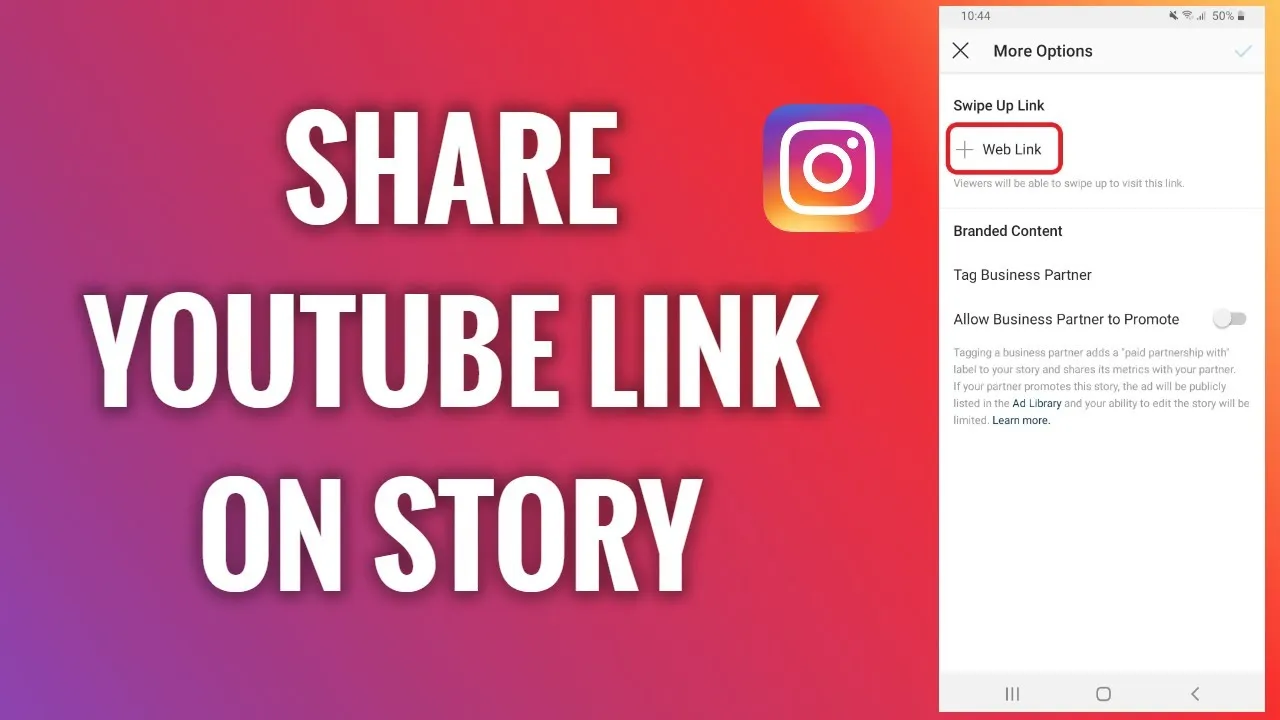
- Instagram Stories: One of the most popular ways to share YouTube links is through Instagram Stories. If you have over 10,000 followers or a verified account, you can use the “Swipe Up” feature to direct viewers straight to your YouTube video. For those with fewer followers, consider using the link sticker feature to share the URL.
- Instagram Bio: Your bio is prime real estate! Place your YouTube channel link in your bio and use a call-to-action in your posts or stories, encouraging followers to check it out. For example, you can say, “Check the link in my bio for my latest video!”
- Feed Posts: While you can’t add clickable links directly in captions, you can still share your YouTube video by posting a captivating thumbnail image with a clear caption. Encourage viewers to visit the link in your bio or use a link shortener to make it easier.
- IGTV Videos: If you have longer content, consider using IGTV. You can post a teaser video on your feed and include a link to the full version on YouTube in the IGTV description, which is clickable.
4. Step-by-Step Guide to Sharing YouTube Links
Ready to share your YouTube videos on Instagram? Follow these simple steps to make it happen:
- Choose Your Video: Start by selecting the YouTube video you want to share. Copy the URL from your browser’s address bar.
- Access Your Instagram Account: Open the Instagram app and log in to your account. Decide where you want to share your link—Stories, bio, feed, or IGTV.
- Sharing on Instagram Stories:
- Tap the camera icon in the top left corner to create a new story.
- Upload a photo or video that relates to your YouTube content.
- Use the link sticker feature, paste your YouTube URL, and customize the sticker text.
- Share your story and watch the views roll in!
- Updating Your Bio:
- Go to your profile and tap “Edit Profile.”
- Paste your YouTube link in the Website field.
- Save the changes and announce it in a post or story!
- Creating a Feed Post:
- Select a captivating thumbnail image from your YouTube video.
- Write a catchy caption inviting followers to check it out, reminding them to click the link in your bio.
- Post it and engage with your audience in the comments!
With these methods and steps, you’ll be well on your way to effectively sharing your YouTube videos on Instagram, boosting your viewership and keeping your followers engaged!
5. Tips for Engaging Your Followers
Engaging your followers is crucial when sharing YouTube videos on Instagram. Here are some effective tips to keep your audience hooked:
- Use Eye-Catching Thumbnails: Create vibrant and appealing thumbnails for your YouTube videos. A visually stunning thumbnail can intrigue your followers and motivate them to click through.
- Craft Compelling Captions: Write captions that resonate with your audience. Ask questions, share fun facts, or use humor to spark conversation. For example, “Have you ever tried this hack? Let me know in the comments!”
- Host Giveaways: Encourage engagement by hosting giveaways that require followers to watch your YouTube video. This not only increases views but also creates excitement.
- Utilize Instagram Stories: Share snippets or behind-the-scenes content from your YouTube videos in your Instagram Stories. Use features like polls or quizzes to encourage interaction.
- Engage with Comments: Respond to comments on your posts and videos promptly. This makes followers feel valued and encourages them to engage more with your content.
- Collaborate with Influencers: Partner with other creators in your niche. This can introduce your content to new audiences and boost engagement.
By following these tips, you can effectively engage your followers and encourage them to explore your YouTube content.
6. Common Mistakes to Avoid
When linking your YouTube videos on Instagram, there are several pitfalls to dodge:
- Ignoring Analytics: Failing to analyze your post performance means missing out on valuable insights. Track which videos get the most engagement to refine your strategy.
- Overposting: Bombarding your followers with links can be overwhelming. Space your posts out to prevent them from becoming desensitized to your content.
- Neglecting Video Quality: Low-quality videos won’t inspire clicks. Always ensure your content is polished and professional to attract viewers.
- Not Using Hashtags: Hashtags can dramatically increase your reach. Avoiding them can limit your visibility. Use relevant hashtags to connect with a broader audience.
- Forgetting to Direct Followers: Simply posting a link isn’t enough. Include a clear call-to-action, like “Click the link in my bio to watch the full video!”
- Ignoring Engagement: If you post and disappear, you miss out on building relationships. Make it a priority to engage with your audience regularly.
By steering clear of these common mistakes, you can ensure a smoother and more effective experience when linking your YouTube videos on Instagram.
Linking YouTube Videos on Instagram to Share with Followers
In the age of digital content, sharing videos across platforms has become essential for maximizing reach and engagement. Instagram, with its vast user base, is an ideal platform to promote your YouTube videos. Here’s a comprehensive guide on how to effectively share your YouTube videos on Instagram to connect with your followers.
To link YouTube videos on Instagram, consider the following steps:
- Use Instagram Stories:
- Post a short clip (up to 15 seconds) from your YouTube video.
- Add a “See More” link if you have over 10k followers or a verified account.
- Utilize engaging stickers, such as polls or questions, to boost interaction.
- Create a Feed Post:
- Share an eye-catching thumbnail of your video.
- Write a compelling caption that encourages followers to check out the link in your bio.
- Use relevant hashtags to increase visibility.
- Add Link to Bio:
- Update your Instagram bio with a direct link to your YouTube channel or specific video.
- Use link management tools like Linktree to share multiple links.
- Leverage IGTV:
- Upload longer clips or trailers from your YouTube videos.
- Include a call-to-action in the description urging viewers to visit your YouTube channel.
By following these methods, you can successfully drive traffic from Instagram to your YouTube videos, enhancing your overall content strategy and fostering a deeper connection with your audience.
Conclusion: Linking your YouTube videos on Instagram is a strategic way to engage with your audience, increase views, and build a loyal community across platforms. Implement these techniques to effectively share your content and encourage followers to explore your YouTube channel.