

Managing your network effectively on LinkedIn can open doors to new opportunities and collaborations. Understanding how to view and interact with your connections is crucial to maximizing the platform's potential. In this guide, we’ll explore how to navigate your LinkedIn network and make the most of your professional relationships.
Understanding Your LinkedIn Network
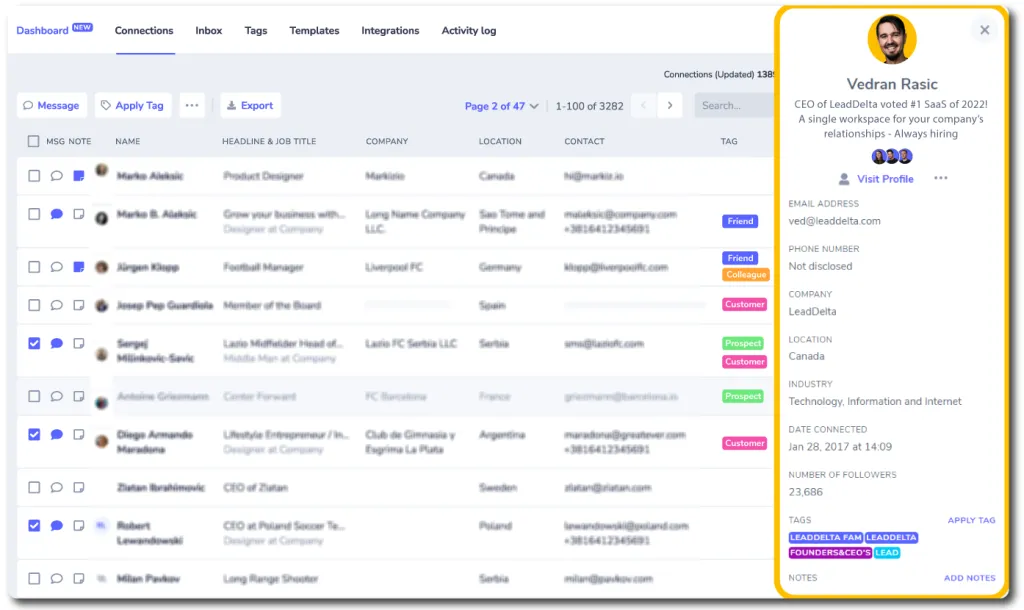
Your LinkedIn network is not just a list of contacts; it's a dynamic ecosystem of professionals that can help you grow personally and professionally. Each connection represents a potential resource, collaborator, or mentor. Here are some key aspects to consider:
- Types of Connections:
- 1st-Degree Connections: These are people you’re directly connected with, meaning you’ve accepted their invitation or they’ve accepted yours.
- 2nd-Degree Connections: Friends of your connections. You can send them a connection request or message through a mutual connection.
- 3rd-Degree Connections: Friends of your 2nd-degree connections. They are further away but can still be valuable.
- Connection Strength: Not all connections are created equal. Evaluate the strength of your relationships based on how often you interact, the relevance of their expertise to your goals, and mutual interests.
- Engagement: Regularly engage with your connections through likes, comments, and shares. This keeps your profile active and helps maintain relationships.
- Networking Opportunities: Each connection can introduce you to new contacts, industries, and job opportunities. Don’t hesitate to ask for introductions.
Understanding these elements will allow you to manage your LinkedIn network more effectively, ensuring you leverage it to its fullest potential.
Also Read This: Troubleshooting Education Entries on LinkedIn for Adding Schools Not Listed
Steps to Access Your Connections
Accessing your connections on LinkedIn is a straightforward process that can help you manage your professional network effectively. Here’s how you can do it:
-
Log into Your Account:
First things first, fire up LinkedIn and log into your account. If you don’t have one, you’ll need to create it before proceeding.
-
Navigate to the “My Network” Section:
Once you're logged in, look for the “My Network” tab at the top of your homepage. Clicking on this will lead you to a dedicated area where you can see all your connections.
-
View Your Connections:
On the left sidebar, you’ll find a section labeled “Connections.” Click on it, and voila! You’ll see a list of all the people you're connected with on LinkedIn. This list typically includes their profile pictures, names, and job titles.
-
Filter or Search Connections:
If you have a growing network, you might want to filter or search for specific connections. Use the search bar at the top of your connections list to quickly find the person you’re looking for.
And there you have it! With these simple steps, you can easily access your connections and start managing your network more effectively.
Also Read This: How to Sell Images on Getty and Turn Your Photography into Profit
Organizing and Managing Your Connections
Once you have accessed your connections, organizing and managing them can enhance your networking experience. Here are some tips:
-
Use Tags:
LinkedIn allows you to categorize your connections using tags. For instance, you might tag people as “Colleagues,” “Clients,” or “Networking Contacts.” This can help you quickly identify and group them based on your goals.
-
Regularly Update Your Connections:
Make it a habit to review your connections regularly. If someone changes jobs or moves to a different industry, consider updating their information or reaching out to maintain the relationship.
-
Engage with Your Network:
Don’t just add connections—interact with them! Sending messages, commenting on posts, or even sharing relevant content can keep the relationship alive and beneficial.
By taking the time to organize and manage your connections, you are not just preserving your professional network but also empowering it to grow and thrive. Remember, a well-maintained network can open doors to new opportunities!
Also Read This: How to Download a Video from LinkedIn
5. Utilizing Filters to Enhance Your Search
When it comes to managing your LinkedIn network effectively, utilizing filters is a game-changer. These filters allow you to refine your search and connect with the right people that align with your professional goals.
Here's how you can use filters to enhance your LinkedIn searches:
- Location: If you're looking to connect with professionals in a specific area, this filter is invaluable. Just enter the city or region you're interested in.
- Industry: Want to network with experts in a particular field? This filter enables you to specify industries such as finance, healthcare, tech, and more.
- Current Company: This is great for finding alumni or former colleagues. You can filter by the organizations where they currently work.
- Past Company: If you want to reconnect with someone you once worked with, this filter helps narrow down your search.
- School: Looking to connect with alumni? Filter by educational institutions to find people who share your academic background.
Using these filters not only saves you time but also ensures that your connections are meaningful. When you narrow down your search, you can engage with individuals who are more likely to resonate with your professional aspirations.
Also Read This: How to Cheat in Exams Without Getting Caught
6. Best Practices for Networking on LinkedIn
Networking on LinkedIn is more than just sending connection requests; it's about building genuine relationships. Here are some best practices that can elevate your networking game:
- Personalize Connection Requests: Always send a personalized note when reaching out. Mention how you know them or why you’d like to connect. For example, “Hi [Name], I enjoyed your recent article on [Topic]. I’d love to connect and discuss more!”
- Engage with Content: Don’t just scroll through your feed! Like, comment, and share posts from your connections. This increases your visibility and shows you’re interested in their insights.
- Follow Up: After connecting, send a follow-up message. Thank them for connecting and suggest a chat over coffee or a virtual meeting to get to know each other better.
- Join Relevant Groups: Participate in LinkedIn groups related to your field. This is a fantastic way to meet like-minded professionals and showcase your expertise.
- Be Authentic: Authenticity goes a long way. Share your experiences, insights, and even challenges. People appreciate honesty and are more likely to connect with you.
Remember, networking is a two-way street! By being proactive and genuine, you'll not only grow your connections but also foster meaningful relationships that can lead to new opportunities.
How to View Connections on LinkedIn to Manage Your Network
LinkedIn is a powerful tool for professionals looking to expand their networks and manage connections effectively. Understanding how to view your connections is essential for maintaining relationships and leveraging your network for opportunities. Here’s a detailed guide on how to view your connections on LinkedIn:
Step 1: Log into Your LinkedIn Account
Start by visiting the LinkedIn website or opening the LinkedIn app. Enter your credentials to log into your account.
Step 2: Navigate to Your Profile
Once logged in, click on your profile picture or the "Me" icon at the top of the homepage. This will direct you to your profile page.
Step 3: Access Your Connections
On your profile page, look for the "Connections" option. You can find this by scrolling down to the "Connections" section or clicking on the "My Network" tab at the top of the page. Here, you will see a summary of your connections.
Step 4: Explore Your Connections
Click on "See all connections" to view a complete list of your contacts. This page allows you to:
- Search for specific connections using the search bar.
- Filter connections by location, company, or industry.
- Manage your connections by removing or blocking them if necessary.
Step 5: Engage with Your Connections
Once you have accessed your connections, take the time to engage with them. You can send messages, endorse skills, or share relevant content to strengthen your professional relationships.
By regularly reviewing your connections, you can effectively manage your network and seize new opportunities that arise within your professional space.
Conclusion: Viewing your connections on LinkedIn is a straightforward process that enables you to manage and engage with your professional network better, fostering valuable relationships and potential opportunities.