

In today’s digital world, your LinkedIn profile acts as your online business card, showcasing your professional journey to potential employers and connections. Updating this profile isn’t just a chore; it’s an opportunity to enhance your personal brand and highlight your unique skills. Whether you’re job hunting, networking, or simply wanting to stay relevant in your field, keeping your LinkedIn profile fresh and engaging is crucial. In this section, we’ll explore the steps and strategies to effectively update your resume on
Why a Strong LinkedIn Profile Matters
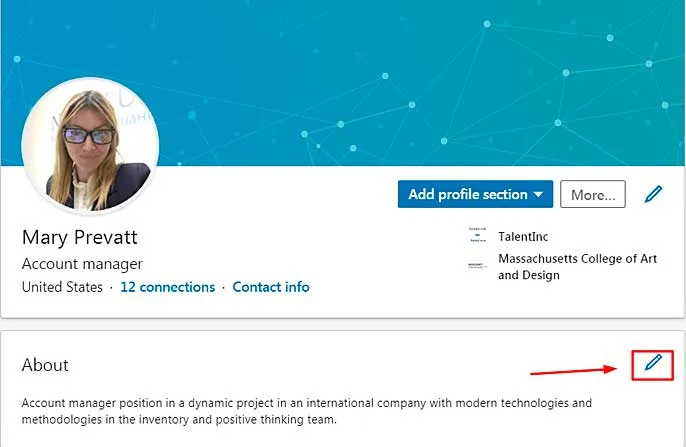
Having a strong LinkedIn profile is important for several reasons. Let’s break it down:
- First Impressions Count: Recruiters often skim through numerous profiles. A well-structured profile makes a lasting impression, leading them to take a closer look.
- Showcase Your Skills: With LinkedIn, you can highlight your skills, endorsements, and recommendations. This visibility helps you stand out from the competition.
- Networking Opportunities: A strong profile attracts connections. When your profile shines, peers and industry leaders are more likely to engage with you.
- Job Visibility: Recruiters use LinkedIn to find candidates. An updated profile improves your chances of being discovered for job opportunities.
Here’s a quick table to visualize why a strong LinkedIn profile is beneficial:
| Benefit | Details |
|---|---|
| Professional Branding | Establish your personal brand and showcase your unique value. |
| Career Growth | Enhance opportunities for promotions and new roles within your industry. |
| Industry Insights | Stay updated on industry trends through your network and connections. |
In summary, a strong LinkedIn profile is not just about listing your job history; it’s about storytelling, connecting, and building relationships that can propel your career forward. By investing time in your profile, you lay the groundwork for future opportunities.
Also Read This: How to Be Successful on Behance
Steps to Update Your Resume on LinkedIn
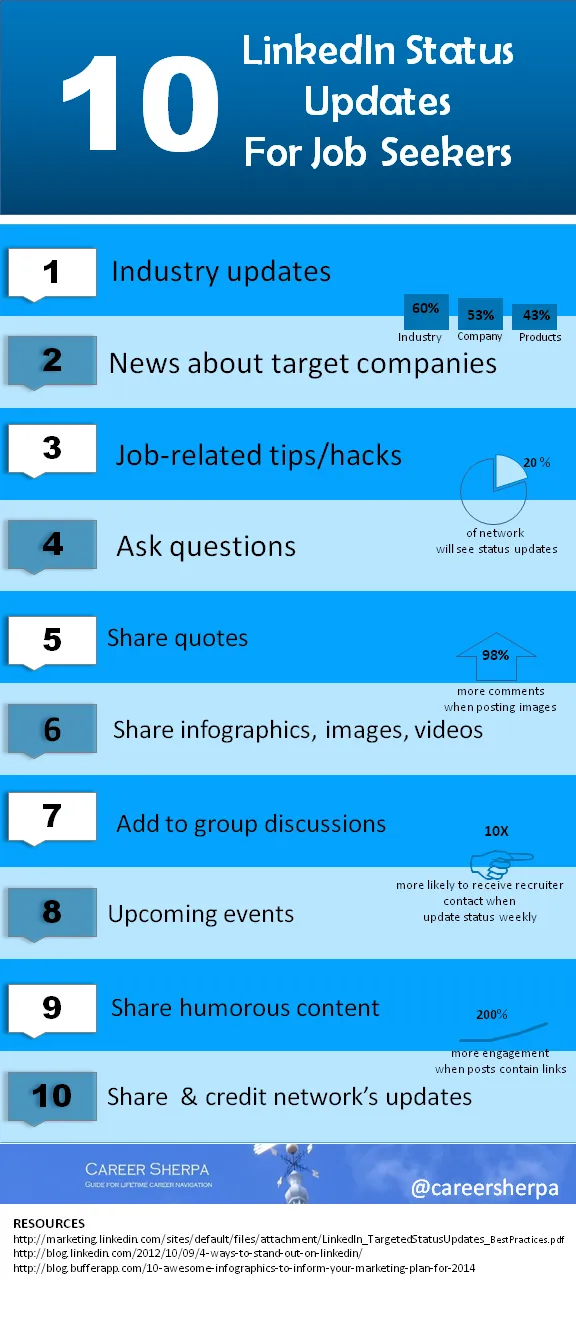
Updating your resume on LinkedIn is a straightforward process, and doing it regularly ensures your profile reflects your most current skills and experiences. Here’s a simple guide to help you through the steps.
- Log in to Your LinkedIn Account: Start by navigating to the LinkedIn homepage and logging in with your credentials.
- Access Your Profile: Click on your profile picture or the "Me" icon at the top of your homepage, then select "View Profile."
- Edit Your Profile: Once you’re on your profile page, click the "Edit" button (pencil icon) next to your profile photo.
- Update Your Experience Section: Scroll to the "Experience" section. Here, you can add new jobs, update existing roles, or remove ones that are no longer relevant. Click on the "+" button to add a new position or the pencil icon to edit an existing one.
- Revise Your Skills: In the “Skills & Endorsements” section, make sure your skills are up to date. Add new skills that reflect your current job responsibilities and delete any that are outdated.
- Save Changes: After making your updates, don’t forget to click the “Save” button to ensure all your changes are recorded.
- Review Your Profile: Finally, take a moment to review your entire profile; ensure all sections—like your summary and education—are also current and reflect your accomplishments.
Also Read This: Increasing Behance views
Key Elements to Include in Your LinkedIn Profile

When it comes to crafting an impactful LinkedIn profile, certain elements can truly set you apart from the competition. Here’s what to focus on:
- Professional Photo: Choose a clear, high-resolution photo where you appear approachable and professional. Profiles with photos receive far more engagement!
- Compelling Headline: Instead of just listing your job title, use your headline to showcase your expertise and industry focus. For example, “Digital Marketing Specialist | Helping Brands Grow Online” stands out more than “Marketing Manager.”
- Engaging Summary: Craft a summary that tells your story. Highlight your career journey, skills, and what you’re passionate about. Use first-person for a personal touch.
- Detailed Experience Section: Describe your previous roles with specific responsibilities and achievements. Use bullet points for clarity and start with action verbs like “Led,” “Developed,” or “Implemented.”
- Skills and Endorsements: Include a mix of hard and soft skills relevant to your position. Encourage colleagues to endorse your skills as this adds credibility.
- Recommendations: Request recommendations from colleagues or supervisors who can vouch for your skills and work ethic. A good recommendation can make a lasting impression.
By including these key elements, you’ll create a stronger LinkedIn profile that effectively showcases your professional brand and appeals to potential employers.
Also Read This: Costs Associated with a Shutterstock Account
5. Tips for Highlighting Your Skills and Experience
Updating your resume on LinkedIn isn’t just about listing your job titles; it’s about showcasing your skills and experiences in a way that makes you stand out. Here are some essential tips to do just that:
- Use Keywords Wisely: Think about the words and phrases recruiters use when searching for candidates. Incorporate these keywords naturally throughout your profile to improve your visibility.
- Show, Don’t Just Tell: Instead of simply stating your responsibilities, illustrate your achievements. For example, instead of saying, “Led a team,” say, “Led a team of 10 to achieve a 25% increase in sales over six months.”
- Utilize the Skills Section: LinkedIn allows you to list specific skills. Be strategic and select skills that are relevant to your current career goals. Include a mix of hard and soft skills.
- Endorsements Matter: Encourage colleagues and connections to endorse your skills. This not only validates your abilities but also improves your profile’s credibility.
- Tailor Your Experience: Customize your experience section for your target industry or role. Highlight experiences that align most closely with your desired job.
Remember, your LinkedIn profile is often the first impression you make on recruiters. Make every word count!
Also Read This: How to Buy a Getty Image for Personal Use
6. Common Mistakes to Avoid When Updating Your Profile
Updating your LinkedIn profile can be a straightforward task, but there are common pitfalls you should steer clear of. Here’s what to avoid:
- Neglecting Your Summary: Your summary is your chance to tell your story. Avoid leaving it blank or writing a dull, generic overview. Make it engaging!
- Inconsistent Information: Ensure that your LinkedIn profile matches your resume. Any discrepancies can raise red flags for potential employers.
- Ignoring Recommendations: Recommendations from colleagues or supervisors can elevate your profile. Don’t hesitate to ask for them, and make sure to do the same for others.
- Overloading with Jargon: While industry terms can be important, too much jargon can alienate readers. Strive for a balance between professionalism and clarity.
- Not Updating Regularly: Treat your LinkedIn profile like a living document. Regularly update it with new skills, certifications, or experiences to showcase your growth.
Avoiding these common mistakes will help you create a polished and professional LinkedIn profile that attracts the right attention!
How to Update Your Resume on LinkedIn for a Stronger Profile
Updating your resume on LinkedIn is essential for showcasing your professional achievements and making your profile stand out to potential employers. Here’s a step-by-step guide to help you effectively update your LinkedIn resume:
1. Access Your Profile
Log into your LinkedIn account and click on your profile picture to access your profile page.
2. Click on the “Add Profile Section” Button
Locate the “Add profile section” button, usually found below your profile picture. Click on it to expand options.
3. Choose the Right Section to Update
Here are the key sections to consider updating:
- Summary: Write a compelling summary that highlights your career goals and key achievements.
- Experience: List your current and past job positions, including specific responsibilities and accomplishments.
- Skills: Add relevant skills that align with your career objectives.
- Education: Update your educational qualifications, including any certifications or courses.
4. Use Keywords
Incorporate industry-specific keywords throughout your profile to ensure it’s discoverable by recruiters. This includes:
| Section | Keywords |
|---|---|
| Experience | Manager, Project Lead, Analyst |
| Skills | Data Analysis, Leadership, Communication |
5. Proofread Your Updates
Before saving, ensure your updates are free of grammatical errors and typos. A polished profile reflects professionalism.
6. Save Changes
Finally, click the “Save” button to apply all changes to your profile.
Keeping your LinkedIn resume updated is crucial for attracting the right opportunities. Regularly revisiting and refining your profile enhances your chances of standing out in a competitive job market.
Conclusion and Final Thoughts
By following these steps, you can ensure your LinkedIn profile remains a powerful tool in your job search, effectively reflecting your skills and experiences to connect with potential employers.