

Sharing your LinkedIn profile doesn’t have to be a daunting task. In fact, there are several simple methods to do so, each catering to different audiences and platforms. Here’s a rundown of some effective ways to share your LinkedIn profile:
- Direct URL Sharing: The simplest way to share your profile is by copying your LinkedIn URL from the address bar when viewing your profile. You can paste this link into emails, messages, or on any platform.
- Email Signature: Another effective method is to add your LinkedIn profile link to your email signature. This way, anyone you communicate with via email can access your profile effortlessly.
- QR Code: Consider generating a QR code that links directly to your LinkedIn profile. You can print it on business cards or flyers, making it easy for people to scan and connect.
- Networking Events: When attending networking events, don’t hesitate to mention your LinkedIn profile. You can share your link verbally, or if you have a QR code, share that for easy access.
- Personal Website or Blog: If you have a personal website or blog, incorporate your LinkedIn profile link in your "About Me" section or include a button that directs visitors to your LinkedIn.
By utilizing these methods, you can ensure that your professional network grows effortlessly, paving the way for new opportunities!
4. Using Social Media to Share Your Profile
Social media is a brilliant tool for sharing your LinkedIn profile, as it allows you to reach a vast audience quickly. Here are some effective ways to capitalize on social media for this purpose:
- Facebook Posts: Share a post on Facebook where you introduce your professional background and include your LinkedIn URL. This approach can engage your friends and family, who might be interested in your career journey.
- Twitter: Tweet about your professional achievements and include your LinkedIn link. Use relevant hashtags like #Networking or #JobSearch to reach a wider audience.
- Instagram Bio: Update your Instagram bio by adding your LinkedIn profile link. Since Instagram is visually driven, consider posting an engaging professional photo with a caption that encourages followers to check out your profile.
- LinkedIn Groups: Participate in LinkedIn groups relevant to your industry and share your profile link within posts, but make sure to follow the group rules regarding self-promotion.
- Professional Communities: Engage in professional forums or communities on platforms like Reddit or Discord. You can share your LinkedIn link in discussions related to career advice or industry insights.
By sharing your LinkedIn profile across these social media platforms, you create opportunities for connections that can undoubtedly benefit your career. So, don’t hesitate—start sharing!
Also Read This: Creative Cake Decorating Tips for Making a Car Cake
5. Sharing Your Profile via Email
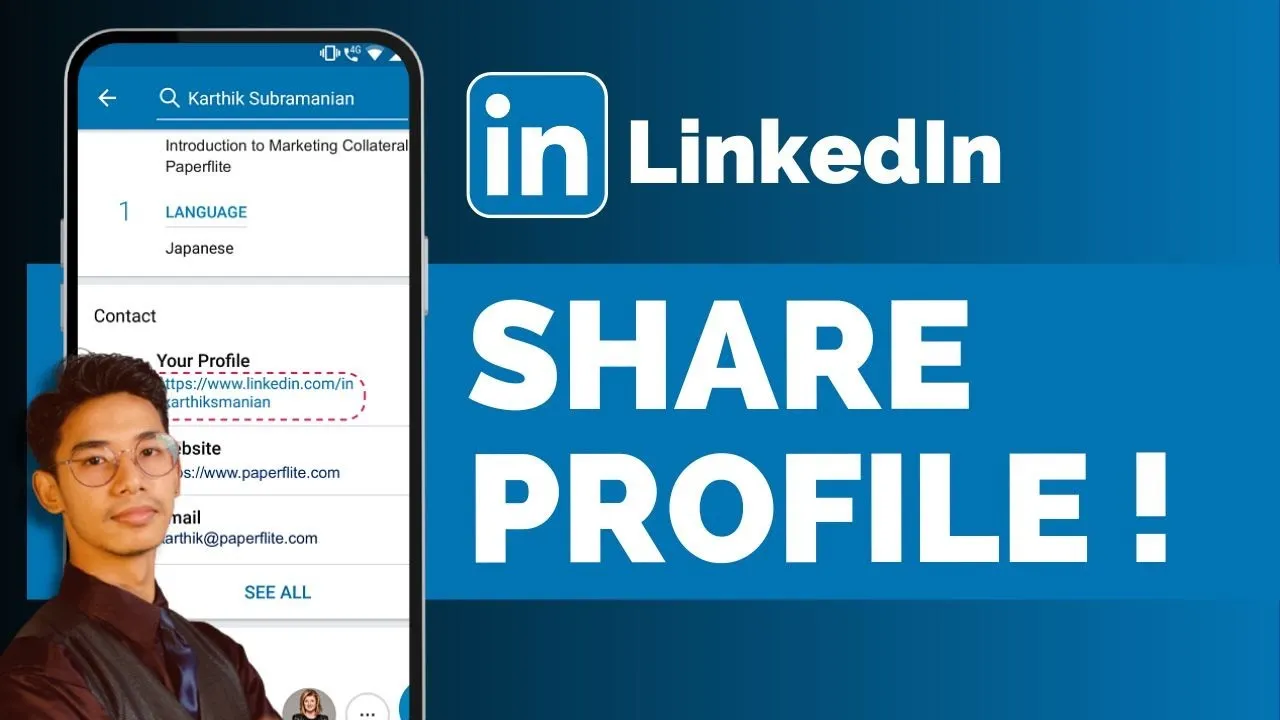
Sharing your LinkedIn profile via email is a straightforward and effective way to connect with potential employers, colleagues, or industry peers. By doing so, you can showcase your professional achievements and skills without any heavy lifting. Here’s how to go about it:
Step 1: Copy Your LinkedIn URL
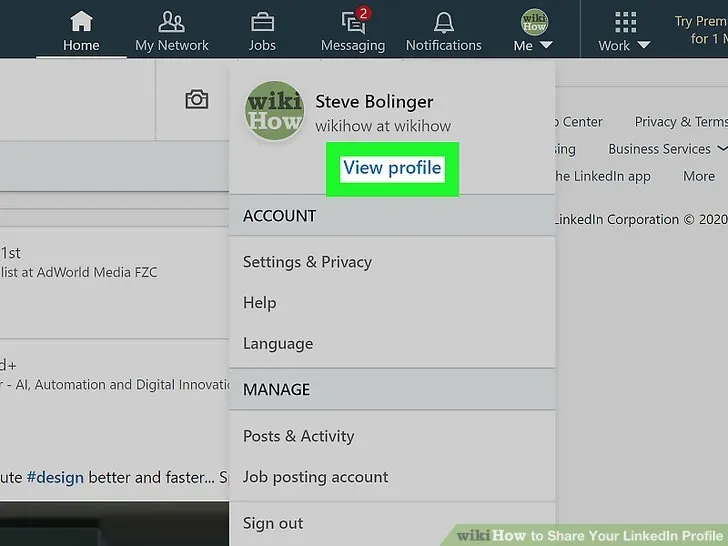
Before you can share your profile, you need to grab your LinkedIn URL. Simply log into LinkedIn, navigate to your profile, and click on the "Me" icon. From there, select “View Profile” and look for the “Edit public profile & URL” option. You’ll find your unique
Step 2: Compose Your Email
Open your email client and start drafting a message. You can personalize your email based on your relationship with the recipient or the context in which you're sharing your profile. Here’s a basic structure you might follow:
- Subject Line: “My LinkedIn Profile for Your Reference”
- Greeting: “Hi [Recipient's Name],”
- Main Message: “I hope you're doing well! I wanted to share my LinkedIn profile with you. You can find my experiences and skills detailed here: [Paste Your URL]. I’d love to connect further!”
- Closing: “Best regards, [Your Name]”
Step 3: Hit Send
Just double-check your email to make sure everything looks right, and then hit send! Sharing your LinkedIn profile this way is not only professional but also makes it easy for the recipient to learn more about you.
Also Read This: Reverse a YouTube Playlist and Restore Your Watch History
6. Including Your LinkedIn Profile in Resumes
In today's job market, including your LinkedIn profile link on your resume is almost a must. It invites recruiters to see a more detailed view of your work experience, endorsements, and professional connections. Here’s how to effectively incorporate it into your resume:
Step 1: Choose the Right Location
Deciding where to put your LinkedIn URL is crucial for visibility. Here are the most common sections where you might place it:
- Header: Place it alongside your email and phone number at the top of your resume.
- Contact Information: If you have a dedicated section for contact details, it’s a great spot!
- Additional Information: You could also create a section titled “Professional Profiles” or “Online Presence” to house your LinkedIn URL and other relevant links.
Step 2: Format Your URL
You want to ensure that your URL looks clean and is easy to click on (if submitting digitally). Consider customizing your LinkedIn URL to remove any unnecessary characters. This not only makes it look neater but also makes it easier for employers to remember:
| Standard URL | Custom URL |
|---|---|
| linkedin.com/in/johndoe12345 | linkedin.com/in/johndoe |
Step 3: Make It Hyperlink (If Digital)
If you're submitting your resume electronically, consider hyperlinking your LinkedIn profile. This way, the hiring manager can simply click and visit your profile without needing to copy and paste the URL. To do this, highlight your text (e.g., "My LinkedIn Profile") and use the hyperlink function in your word processor to add your LinkedIn URL.
Incorporating your LinkedIn profile into your resume can be the extra step that sets you apart from other candidates, giving potential employers immediate access to more of your qualifications and professional brand!
Also Read This: Authentic Chicken Karahi Recipe You Need to Try
7. Optimizing Your LinkedIn URL for Easy Sharing
When it comes to sharing your LinkedIn profile, having a clean, memorable URL can make a world of difference. While LinkedIn assigns a default URL filled with numbers and letters, customizing it can help you create a link that’s not only easier to share but also more professional. Here’s how to optimize your LinkedIn URL:
- Navigate to your profile settings: Click on your profile picture in the top right corner, and select “View Profile.” Then click on “Edit public profile & URL” on the right side.
- Click on “Edit your custom URL:” Here, you’ll find the option to customize your LinkedIn URL. Aim for a format that is simple and recognizable.
- Keep it professional: Ideally, your URL should include your name or your brand. For example, something like
linkedin.com/in/johndoeis great. Avoid unnecessary numbers or special characters that can make it harder for others to remember. - Short and sweet: Try to keep your URL as concise as possible. The shorter it is, the easier it will be to share either verbally or through printed material.
Remember, a clean LinkedIn URL is not just about aesthetics; it also conveys professionalism and makes it easier for potential employers, clients, or networking contacts to find you online.
Also Read This: Understanding the Cost of Alamy Stock Photos
8. Best Practices for Sharing Your Profile
Once you've optimized your LinkedIn URL, it's time to think about the best practices for sharing your profile effectively. Here are some key tips to ensure you get the most out of sharing your LinkedIn presence:
- Choose the right medium: Consider where you’re sharing your profile. Social media, email, and networking events all provide different contexts that can influence how you present your URL.
- Personalize your message: When sharing your LinkedIn link, include a brief message explaining why you’re sharing it. For example, mention a recent conversation topic or a common interest.
- Utilize QR codes: In print materials like business cards or resumes, incorporating a QR code that links directly to your profile can make it effortless for others to connect with you.
- Use your LinkedIn link in your email signature: This way, every email you send becomes an opportunity for others to view your profile.
In addition, always remember to follow up and engage with any new connections. Sharing your LinkedIn profile is just the first step in building professional relationships!
Also Read This: Explore Templates on Canvas.com for Your Projects
Common Mistakes to Avoid When Sharing Your Profile
Sharing your LinkedIn profile can open doors to new connections and opportunities, but it's easy to make mistakes that could hinder your efforts. Here are some common pitfalls to avoid:
- Not Customizing Your URL: One of the biggest mistakes people make is neglecting to customize their LinkedIn URL. A personalized URL (like linkedin.com/in/yourname) is not only easier to share but also looks more professional.
- Ignoring Privacy Settings: Before you share your profile, double-check your privacy settings. If your profile is set to private, potential connections won’t be able to see your information. Make sure you’re comfortable with what’s visible to the public.
- Overloading with Information: While it's important to have a complete profile, sharing too much can overwhelm recipients. Focus on key highlights—your professional background, skills, and achievements—to make a strong impression.
- Not Verifying the Link: Always double-check that the link you’re sharing works correctly. There’s nothing more frustrating than sending a broken link to a potential connection!
- Sharing in the Wrong Context: Consider the context in which you’re sharing your profile. A casual social media post might not require the same tone as a professional email or networking event. Tailoring your approach is essential.
- Neglecting Follow-Up: After sharing your profile, don’t forget to follow up. A simple message can help solidify connections and remind the recipient of your interaction.
Being mindful of these common mistakes will enhance your networking experience, ensuring that your LinkedIn profile is a powerful tool for building professional relationships.
Conclusion and Further Resources
Sharing your LinkedIn profile doesn’t have to be a daunting task. By following the tips outlined in this guide, you can effectively showcase your professional achievements and make valuable connections. Remember, the goal is to present your strengths in a way that resonates with your audience.
To recap, here are the key points:
- Customize your LinkedIn URL to make it easy to share.
- Check privacy settings to ensure visibility.
- Focus on presenting relevant information clearly.
- Verify the link before sharing it.
- Consider the context and audience when sharing.
- Follow up after sharing your profile.
If you’re looking for more in-depth information on utilizing LinkedIn effectively, consider these resources:
- LinkedIn Help: Customize Your Public Profile URL
- Forbes: Top LinkedIn Pitfalls
- Social Media Examiner: Optimize Your LinkedIn Profile
By utilizing these tips and resources, you’re well on your way to harnessing LinkedIn's full potential for your professional journey.