
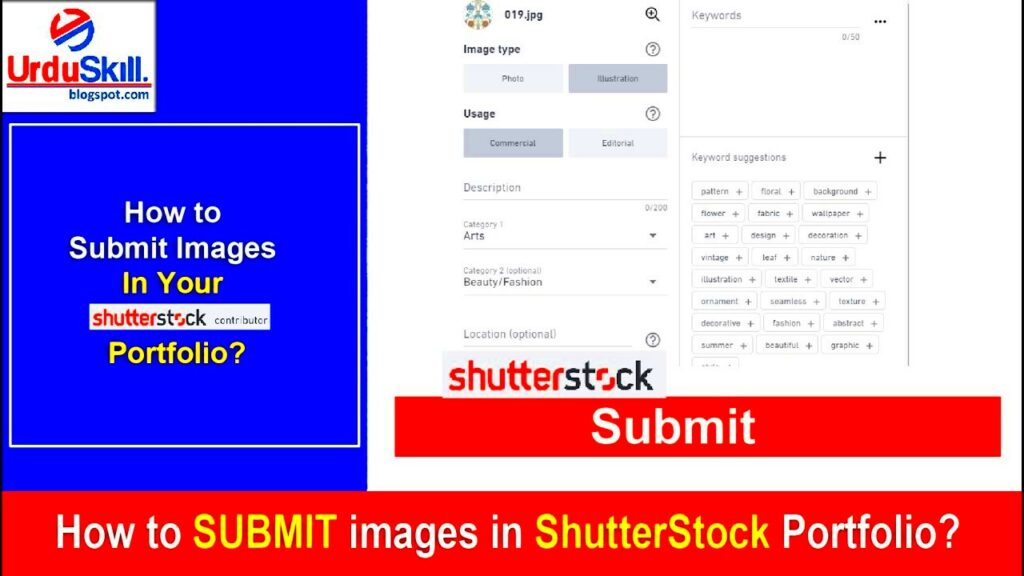
In this case, Shutterstock acts as an important medium through which photographers can get in touch with those who want beautiful images. Photographers, therefore, have an exceptional chance at selling off the skill they possess while at the same time targeting a wider audience across the world. When you submit your pictures to Shutterstock, your work becomes visible to clients all over the world which may range from small scale businesses to big multinationals. As such, it enhances your visibility among photo buyers and also promotes co-operation as well as other forms of interaction within the field.
Here are some vital reasons why photographers should value Shutterstock:
- Wide Reach: Shutterstock has millions of users globally, increasing the chances of your photos being seen and purchased.
- Passive Income: Once your photos are uploaded, you can earn money every time someone downloads your work.
- Exposure: Being featured on a well-known platform helps you build your brand and establish credibility.
- Community Support: Shutterstock provides a network of fellow photographers, allowing you to share tips and receive feedback.
Preparing Your Photos for Submission to Shutterstock
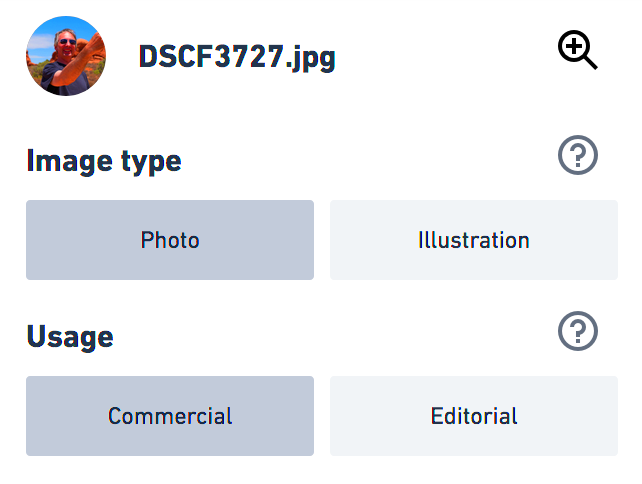
It’s very crucial to take time and prepare your photos before submission. High quality images tend to attract more buyers. Below are some suggestions on how to make sure that your images conform to Shutterstock’s terms and conditions:
- Resolution: Aim for a minimum resolution of 4 MP. This ensures that your images are suitable for various formats and sizes.
- File Format: Use JPEG format for your photos. This is the most common format accepted by Shutterstock.
- Editing: Make sure your photos are well-edited. Use photo editing software to enhance colors and remove any imperfections.
- Content Variety: Submit a range of subjects and styles to appeal to a broader audience.
Above all, it is essential to regularly assess how well you follow Shutterstock’s submission requirements.
Creating a Shutterstock Account and Setting Up Your Profile

Starting with Shutterstock is not a tough task. Just observe the following measures to have your account up and running as well as personalizing it:
- Visit the Shutterstock Website: Go to Shutterstock.com.
- Click on “Join”: Look for the “Join” button on the top right corner of the homepage.
- Fill in Your Details: Enter your email address, create a password, and fill in other required fields.
- Verify Your Email: Check your email for a verification link from Shutterstock and click it to activate your account.
- Complete Your Profile: Add a profile picture, write a brief bio, and showcase your photography style.
A buyer may be attracted to your profile if it is properly constructed and this makes them get an idea of who you really are in photography.
Uploading Your Photos to Shutterstock

Now that you’ve got your impeccable photos all set and waiting momentarily, the next procedure is to simple upload them on the Shutterstock platform account. This is simple but in order for it to be effective one need to be very careful with the steps. Below are some of the tips on how to easily upload images on photo stock platform.
- Log into Your Account: Start by logging into your Shutterstock account. You’ll find the “Upload” button prominently displayed on your dashboard.
- Select Your Photos: Click on the “Upload” button and select the photos you want to upload from your computer. You can upload multiple images at once, which saves you time.
- Check File Specifications: Ensure your files meet the necessary requirements, such as file size and format. Shutterstock typically accepts JPEG files with a minimum resolution of 4 MP.
- Upload and Review: After selecting your images, click the upload button. Once uploaded, you can review the images to ensure they look good on the platform.
- Submit for Review: After reviewing your photos, you’ll have the option to submit them for Shutterstock’s approval. Be patient, as the review process may take some time.
The moment they get approval, your images shall be visible and sellable to purchasers thereby creating additional prospects for you in the field of photography.
Adding Keywords and Descriptions to Enhance Discoverability
More essential is the next step after uploading photos, which is adding keywords and descriptions. This helps in locating images quickly for potential buyers. Here’s how to make your photos more discoverable:
- Use Relevant Keywords: Choose keywords that accurately describe your photo. Think about what someone might type into the search bar when looking for an image like yours. Use a mix of general and specific terms.
- Limit Keyword Count: Aim for 25 to 30 keywords for each photo. Too many keywords can confuse buyers and dilute your image’s relevance.
- Write a Clear Description: Provide a brief description of your image. Include details about the subject, setting, and any interesting elements. A well-written description can provide context and attract more buyers.
- Utilize Categories: Shutterstock allows you to categorize your images. Choose categories that best fit your photo, as this further aids in searchability.
Through the provision of time to input thoughtful phrases and portrayals, you enhance possibilities of your images getting discovered and sold.
Reviewing Your Submissions and Making Edits
You have been educated on information until 2023 of October.
- Check Submission Status: Log into your Shutterstock account and navigate to the “Submissions” section. Here, you can see the status of each photo—approved, pending, or rejected.
- Analyze Feedback: If any of your submissions are rejected, take the time to read the feedback provided by Shutterstock. This information can help you improve your future submissions.
- Make Necessary Edits: For photos that require edits, you can update them directly within your account. Adjust the keywords, descriptions, or even the images themselves based on the feedback.
- Resubmit If Needed: If you make significant changes to a rejected photo, consider resubmitting it. This gives it a second chance to get approved.
- Stay Updated: Keep an eye on trends and changes in the market. Regularly updating your submissions can help you stay relevant and increase your sales.
On Shutterstock, you can greatly improve your chances of making it big in photography business by going through these writings and making changes to them before submitting them.
Tracking Your Sales and Earnings on Shutterstock
When you begin to upload pictures on Shutterstock, it is important to follow closely your sales and income. This helps in knowing how your photos are doing so as to make the right choices concerning photography enterprise. Here’s a good way to move forward or keep track of yourself:
- Access Your Contributor Dashboard: Log into your Shutterstock account and navigate to your Contributor Dashboard. This is your central hub for tracking everything related to your submissions.
- View Your Sales Reports: In the dashboard, you’ll find detailed reports showing how many times your photos have been downloaded and the earnings from each sale. You can view this data by day, week, month, or year, which helps you identify trends.
- Analyze Your Top Performers: Take note of which images are selling well and which aren’t. This insight can guide you in creating more content that aligns with market demands.
- Track Earnings Over Time: Regularly check your earnings to see how they fluctuate. This will help you understand the seasonality of your sales and plan your submissions accordingly.
- Set Earnings Goals: Based on your sales history, consider setting monthly or quarterly earnings goals. This can motivate you to keep uploading new content and refining your photography skills.
Following this, you expect to manage regularly with sales and earnings so as to get the best insight about your photo tour in Shutterstock.
Frequently Asked Questions about Submitting Photos to Shutterstock
When submitting pictures to Shutterstock, many photographers may have several queries. Below are common questions that would help you to clear your mind in any doubts:
| Question | Answer |
|---|---|
| What types of photos sell best on Shutterstock? | Stock images that are high-quality, unique, and cater to current trends tend to sell best. Think about subjects like lifestyle, nature, business, and technology. |
| Can I submit photos taken with my smartphone? | Yes, as long as the images meet Shutterstock’s quality standards. Many smartphones can take high-resolution photos suitable for stock. |
| How long does it take for my photos to be reviewed? | The review process usually takes 1-3 days, but it can vary depending on submission volume. |
| What happens if my photo is rejected? | You will receive feedback from Shutterstock, which can guide you on how to improve future submissions. |
| How do I get paid for my sales? | Shutterstock pays contributors through PayPal or bank transfer once your earnings reach the payout threshold. |
Don’t wait to check on Shutterstock’s help center or community forums; if you have any other queries.
Wrapping Up Your Shutterstock Journey
In your journey as a Shutterstock contributor, staying persistent and flexible will be the way to go. No two experiences of photographers are alike but here are few pointers for you to consider in order to make it:
- Keep Learning: Photography is an evolving art form. Stay updated with new techniques, trends, and tools that can enhance your skills.
- Engage with the Community: Participate in Shutterstock’s community forums to connect with other photographers. Sharing experiences and tips can be incredibly beneficial.
- Maintain a Diverse Portfolio: Regularly update your portfolio with fresh and varied content to attract a broader audience.
- Stay Patient: Success on platforms like Shutterstock doesn’t happen overnight. Keep uploading and refining your work, and don’t get discouraged by setbacks.
- Celebrate Your Achievements: Take the time to celebrate your milestones, whether it’s a sale, a positive review, or simply completing a challenging project.
If you want to have the best time and also succeed in a photography profession, on Shutterstock, you need to be very much dedicated as well as active. Cheers!