

Behance is a fantastic platform that allows creatives to showcase their work and connect with a global audience. Founded in 2005, it has grown to become one of the leading online portfolios for artists, designers, photographers, and other creative professionals. The importance of Behance lies in its ability to provide visibility and networking opportunities for creatives looking to advance their careers. With millions of users and countless projects, your work can gain the exposure it deserves.
By sharing your projects on Behance, you can:
- Build Your Portfolio: A well-curated portfolio is essential for any creative. Behance allows you to display your best work in a visually appealing format.
- Network with Peers: Connect with other creatives, receive feedback, and even collaborate on projects.
- Attract Potential Clients: Many businesses browse Behance to find talent for freelance and full-time opportunities.
- Stay Inspired: Explore a multitude of projects across various disciplines to spark new ideas and creativity.
Step-by-Step Guide to Creating a Project on Behance
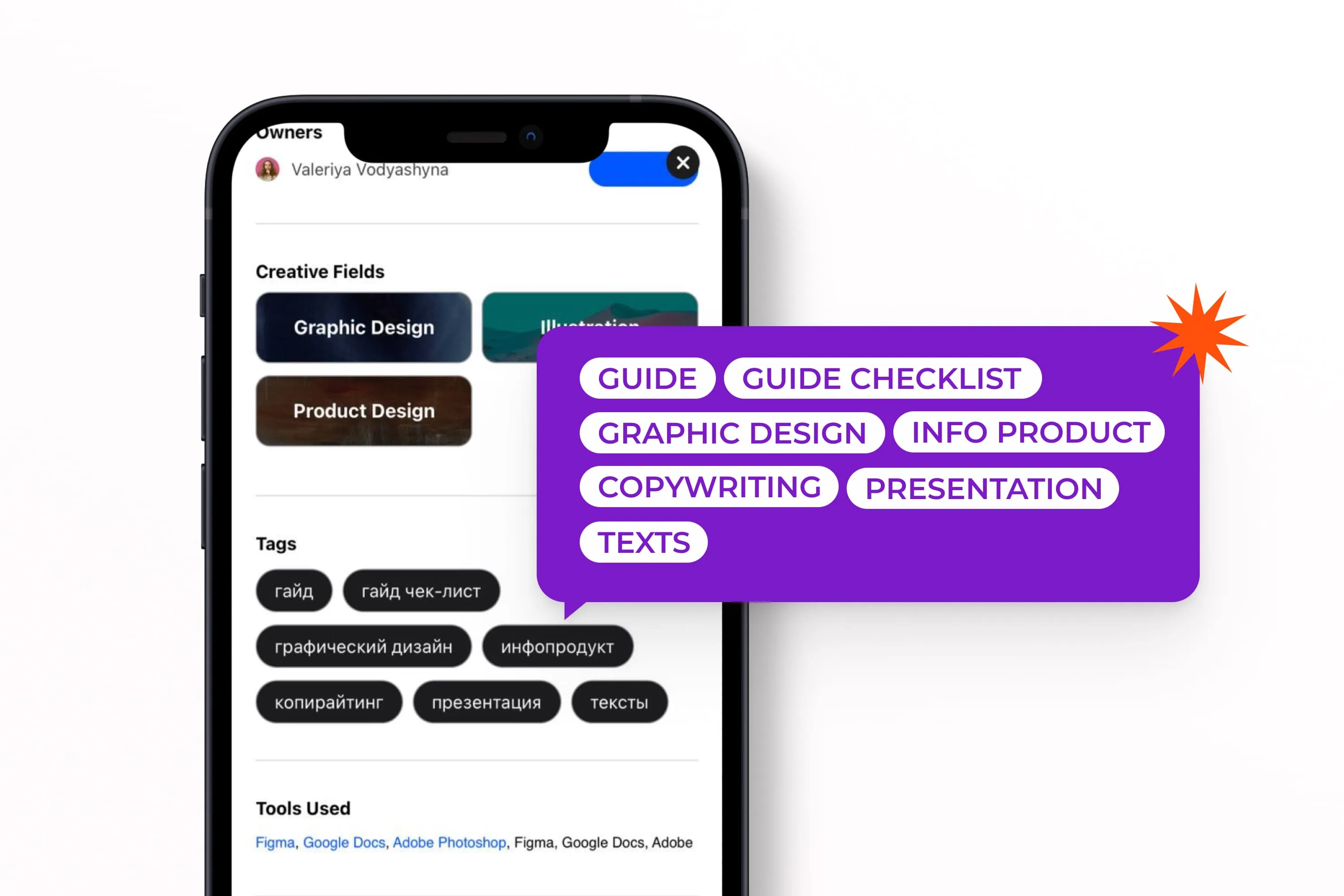
Creating a project on Behance is a straightforward process that can significantly enhance your online presence. Here’s a step-by-step guide to help you publish your work smoothly:
- Sign Up or Log In: If you don’t have an account, creating one is simple. Just provide your email, create a password, and fill out your profile.
- Click on “Create a Project”: Once you’re logged in, look for the “Create a Project” button on your dashboard. It’s usually prominently displayed.
- Upload Your Work: You can add images, videos, and even audio. Make sure to use high-quality files to showcase your work effectively.
- Add Descriptions and Tags: Briefly describe each piece and include relevant tags. This helps users find your work through search.
- Organize Your Layout: Behance offers various layout options. Arrange your visuals in a way that tells a coherent story about your project.
- Select a Cover Image: Choose an eye-catching cover image that represents your project well. This is the first impression viewers will have!
- Preview Your Project: Before publishing, always preview your project to ensure everything looks good and functions correctly.
- Publish: Once satisfied, hit the “Publish” button, and your project will be live for the world to see!
Remember, the key to a successful project is not just showcasing your work but also engaging with the community by providing feedback to others and sharing insights about your creative process. Happy showcasing!
Also Read This: Canva Image Framing
How to Set Your Project to Public
Setting your project to public on Behance is a crucial step to ensure that your work reaches a wider audience. It’s quite simple, really! Here’s how you can do it:
- Log into Your Behance Account: Start by signing into your Behance account. If you don’t have one, it’s time to create an account!
- Create a New Project: Click on the “Create a Project” button found on your dashboard. You can also edit an existing project if you prefer.
- Upload Your Work: Add images, videos, or any other relevant files that showcase your project. Make sure to organize them in a visually appealing way.
- Adjust Project Settings: Before you publish, scroll down to the “Project Settings” section. Here you’ll find the option to set your project visibility.
- Select 'Public': Change the visibility from 'Private' to 'Public.' This allows anyone to view your project, making it accessible for the entire Behance community.
- Publish Your Project: Finally, hit the “Publish” button. Congratulations! Your project is now live for everyone to see.
Remember, a public project not only showcases your talent but also opens doors for networking and potential collaborations. So, make sure to put your best foot forward!
Also Read This: Can a YouTube Video Have More Likes Than Views
Tips for Showcasing Your Work Effectively
Creating a stunning project is one thing, but showcasing it effectively is where the magic happens. Here are some handy tips to help you catch the eyes of viewers:
- High-Quality Images: Always use high-resolution images. Blurry visuals can detract from your work’s quality.
- Compelling Descriptions: Write clear, engaging descriptions for your project. Explain your process, the inspiration behind your work, and any challenges you faced.
- Organize Content Well: Use sections and titles to break up your content. This makes it easier for viewers to navigate and understand your project.
Additionally, consider using a consistent color palette and typography to create a cohesive look. A little bit of creativity goes a long way!
| Tip | Example |
|---|---|
| Use White Space | Avoid cluttering your project. Leave some areas blank to let your work breathe. |
| Engage with the Community | Respond to comments and reach out to other creators. Networking can lead to exciting opportunities. |
By following these tips, you’ll not only showcase your work effectively but also increase your chances of standing out in the competitive world of Behance. Happy showcasing!
Also Read This: Master the Art of Twisting Hair at the Front for a Quick Stylish Look
5. Engaging with the Behance Community
Engaging with the Behance community is a vital step in gaining visibility for your projects and enhancing your creative journey. It’s not just about showcasing your work; it’s about connecting, sharing, and growing with fellow creatives.
Here are some effective ways to engage:
- Follow Other Creatives: Discover inspiring artists whose work resonates with you. Following them not only shows your appreciation but also opens up opportunities for collaboration.
- Leave Constructive Feedback: Provide thoughtful comments on projects that catch your eye. Your insights can foster relationships and encourage artists to reciprocate.
- Join Groups: Participate in Behance groups that align with your interests. Engage in discussions, share tips, and find potential collaborators who share your passion.
- Share Your Process: Don’t just post finished work; share behind-the-scenes content. This transparency invites conversations and helps others appreciate your creative journey.
- Participate in Challenges: Behance often hosts design challenges. Jumping in can expose your work to a wider audience and connect you with like-minded individuals.
Remember, the key to engagement is authenticity. Be genuinely interested in others’ work, and you’ll find that the community will be more inclined to support you in return.
6. Conclusion and Final Thoughts
As we wrap up our guide on making your project public on Behance, it's essential to remember that showcasing your work is just the beginning. The real magic happens when you actively engage with the community and continue to evolve your craft.
Embrace these final thoughts:
- Stay Consistent: Regularly update your portfolio with new projects to keep your audience engaged. Consistency showcases your growth and commitment to your craft.
- Network, Network, Network: Building connections in the Behance community can lead to collaborations and opportunities that you might never anticipate.
- Seek Feedback: Use the community to gather constructive criticism. This feedback can be invaluable in refining your skills and enhancing your work.
- Keep Learning: The creative world is constantly evolving. Stay updated with trends, techniques, and tools to ensure your work remains relevant and appealing.
Ultimately, showcasing your work on Behance is about expressing yourself and connecting with others who share your passion. So, dive in, engage, and let your creativity shine!