

Behance is a vibrant online platform where creatives from around the world showcase their work. Whether you're an artist, designer, photographer, or anyone in a creative field, Behance provides a space to exhibit your portfolio, connect with other professionals, and discover inspiration. With millions of projects uploaded by talented individuals, it serves not just as a gallery but also as a community hub.
The importance of Behance for creatives cannot be overstated. It offers:
- Exposure: Sharing your work on Behance allows you to reach a global audience, potentially leading to new opportunities and collaborations.
- Network Building: The platform encourages connections between creatives, which can lead to valuable partnerships and insights.
- Feedback and Recognition: Creatives can receive constructive feedback from peers and enthusiasts, fostering growth and improvement.
- Job Opportunities: Many companies scout talents on Behance for freelance and full-time positions, making it a vital resource for job seekers in creative fields.
In addition to promoting individual work, Behance celebrates diverse creative disciplines, making it a melting pot of creativity where ideas flourish and evolve. With its user-friendly interface and curated collections, it’s an ideal platform for both emerging and established artists to thrive.
Understanding Copyright and Usage Rights on Behance
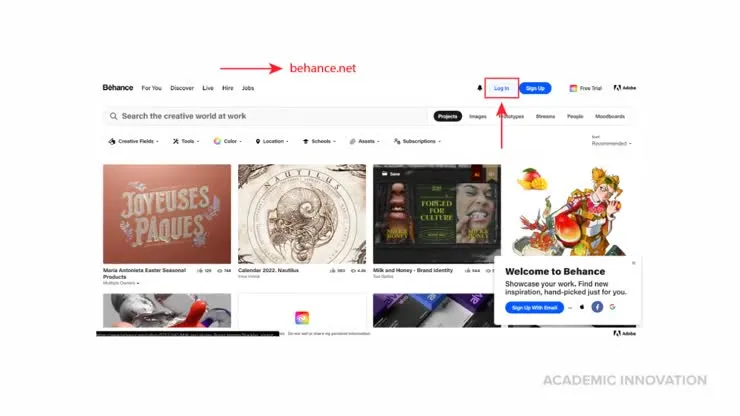
Before you dive into downloading photos or artworks from Behance, it’s crucial to understand copyright and usage rights. Every creator retains specific rights to their work, and respecting these rights is paramount in the creative community.
Here’s a brief overview of what you need to know:
| Term | Description |
|---|---|
| Copyright | The legal right granted to the creator, allowing them to control the use and distribution of their work. |
| Usage Rights | The permissions granted by the creator regarding how their work can be used by others. |
| Creative Commons | Some works may be licensed under Creative Commons, allowing specific uses like sharing with attribution. Always check the license! |
When viewing a project on Behance, it’s essential to check:
- Licensing Information: Look for any licensing details provided by the creator. This tells you what you can and cannot do with the image.
- Contact the Creator: If in doubt, reach out to the creator directly for permission. Many artists appreciate being contacted and may grant you permission to use their work.
- Attribution: If you do use someone else's work (with permission), give appropriate credit to the creator.
By understanding and respecting copyright and usage rights on Behance, you not only build a good reputation in the creative community but also help foster a culture of respect and support among artists. Always remember, creativity thrives when we respect the rights of its creators!
Also Read This: Subscription Pricing for Shutterstock
5. Step-by-Step Process to Download Photos from Behance
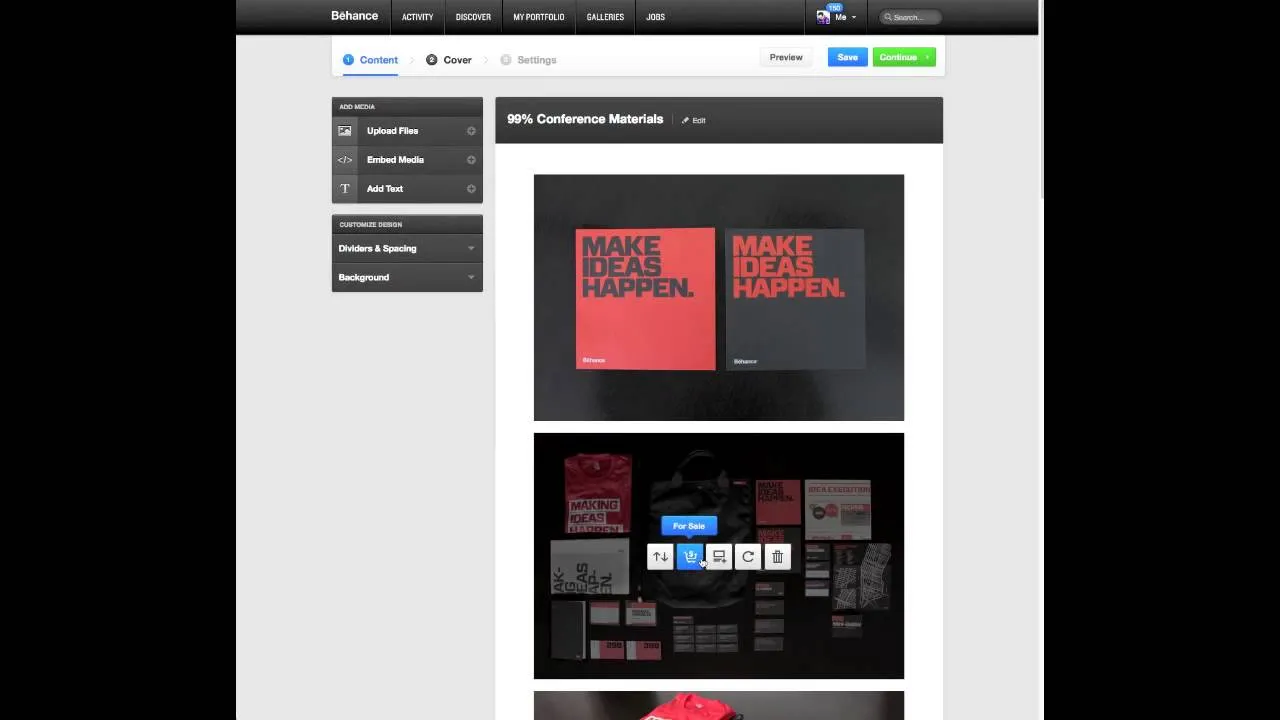
Downloading photos from Behance can seem a bit tricky at first, but it’s actually pretty straightforward when you break it down. Here’s how you can do it step by step:
- Open Behance and Find Your Desired Project: Start by navigating to the Behance website and search for the project or image you want to download. You can use the search bar at the top of the page or browse through categories to find something that catches your interest.
- View the Project: Click on the project thumbnail to open it. This will take you to the project’s detailed view where you can see all the images and artwork included.
- Check for Download Options: Some projects may have a download button directly available, usually located near the project title or description. If you see this button, click on it to download the images directly.
- Taking a Screenshot: If the project doesn’t have a download button, you can take a screenshot of the image. On Windows, you can use the Snipping Tool or press “Print Screen.” On Mac, press “Command + Shift + 4” to select the area.
- Saving the Screenshot: After taking the screenshot, don’t forget to save the file. Choose your preferred file format (PNG or JPEG) and save it to your desired location on your computer.
- Respect Copyright: Always remember to respect the creator’s copyright. If you plan to use the images for anything other than personal use, consider reaching out to the artist for permission!
Also Read This: How to Delete Shows on YouTube TV
6. Using Browser Extensions for Efficient Downloads
If you find yourself regularly downloading images from Behance, you might want to make the process even easier with browser extensions. These tools can save you time and effort! Here’s a closer look at how to use them effectively:
What are Browser Extensions?
Browser extensions are small software applications that enhance your web browsing experience. They can help automate various tasks, including downloading images from websites like Behance.
Recommended Browser Extensions:
- Image Downloader: This extension allows you to bulk download images from a webpage easily. Just install it, click the extension icon while on a Behance project page, and select the images you want to download.
- Download All Images: A straightforward tool that helps you download all images on a page in one click. Perfect for projects with multiple images!
- Save to Pocket: While not a direct downloading tool, this extension lets you save images and projects for later viewing and more organized access.
How to Install and Use:
- Install the Extension: Go to your browser’s extension store (like Chrome Web Store or Firefox Add-ons) and search for the extension you want. Click “Add to Browser” to install it.
- Visit Behance: Head back to Behance and navigate to the project containing images you wish to download.
- Activate the Extension: Click on the extension icon in your browser toolbar. Follow any prompts to select or download images efficiently.
Using these tools not only simplifies the downloading process, but they also keep you organized with your favorite creative works! Happy downloading!
Also Read This: Understanding the Factors Behind YouTube's Slow Performance
Tips for Organizing and Managing Downloaded Images
Once you start downloading images from Behance, it can quickly become overwhelming. Without a proper organization system, you might find yourself lost in a sea of creative content. Here are some tips to effectively organize and manage your newly acquired images:
- Create a Dedicated Folder: Begin by making a specific folder on your computer or external storage solely for Behance downloads. This keeps all your files in one place and makes them easier to access.
- Use Subfolders: Within your main folder, create subfolders based on categories such as 'Graphic Design', 'Photography', or 'Illustration'. This helps you locate specific images quickly.
- Name Files Thoughtfully: Instead of keeping default file names, rename images to something more descriptive. For instance, instead of “image001.jpg”, use “Urban_Photo_Series_Design_Behance.jpg”. This aids in recalling what each image represents.
- Incorporate Tags or Keywords: If your operating system allows it, tag images with relevant keywords for easier searching later. For example, tags could include 'modern', 'vintage', or 'nature'.
- Back Up Regularly: Make it a habit to back up your folder on an external hard drive or cloud service. This ensures your collection is safe from accidental deletion or hardware failure.
- Maintain a Catalog: Consider creating a simple spreadsheet that lists your images, along with their file names, categories, and any notes. This can serve as a quick reference guide.
These strategies will improve your workflow and allow you to focus on enjoying your creative collection instead of scrambling to find that perfect image anytime you need it!
Also Read This: What Is Commentary YouTube and Why Is It Popular?
Attribution and Supporting Creators
One of the wonderful aspects of platforms like Behance is the community of talented artists and designers sharing their work. As you download images, it’s crucial to remember the importance of attribution and supporting these creators. Here’s how you can do that:
- Give Credit: Whenever you use a downloaded image, whether for a personal project or commercial use, credit the creator. This can be done by including their name and a link to their profile. A simple mention shows respect and appreciation for their work.
- Read Licensing Terms: Before downloading or using any image, check the licensing terms set by the creator. Some images may require explicit permission for use, while others might have restrictions. Always adhere to these guidelines.
- Support Creators: Consider purchasing works or donating to creators whose work you admire. Engagement through likes, shares, or writing supportive comments can encourage artists to continue creating.
- Engage in the Community: Follow creators on Behance, participate in discussions, and join groups. Building relationships within the community can foster a supportive environment.
- Share Their Work: If you love a particular design or photo, share it on your own platforms (with credit, of course!). This not only helps the artist reach a broader audience but also strengthens the creative network.
Remember, every download is an opportunity to build a respectful relationship with the creative community. Supporting artists not only enriches your own experience but also encourages the continuous flow of creativity in the industry.
```html
How to Download Behance Photos: A Step-by-Step Guide for Saving Creative Images
Behance is a popular platform where creative professionals showcase their work, including photography, graphic design, illustration, and more. While browsing through stunning portfolios, you might come across images you wish to save for inspiration or personal use. However, downloading photos from Behance isn't always straightforward due to copyright and usage restrictions. Here’s a step-by-step guide on how to download photos responsibly and effectively from Behance.
Steps to Download Behance Photos
- Check Permissions: Always verify the licensing terms on the project page. Some artists allow downloads for personal use, while others may restrict it.
- Use the Download Button: If the creator has enabled downloads, look for a download button or link on the project page. Click it to save the image directly to your device.
- Take a Screenshot: If the download button is not available, you can take a screenshot of the image. On Windows, use the Snipping Tool or Snip & Sketch; on macOS, use Command + Shift + 4.
- Use Browser Extensions: Consider using browser extensions that allow you to download images from web pages. Extensions such as Image Downloader or Download All Images can simplify this process.
- Request Permission: If you are unsure, you can always reach out to the artist through the Behance messaging feature to ask for permission or a downloadable file.
Conclusion and Final Thoughts on Downloading Behance Photos
Downloading photos from Behance can be a straightforward process if you respect the artist’s rights and permissions. Always prioritize ethical downloading practices and when in doubt, communicate with the creator to gain proper access to their work.
```