

Canceling a subscription can sometimes feel like navigating a maze, but it doesn't have to be that way! If you’re looking to cancel your Depositphotos subscription, you’ve come to the right place. Whether you found a better option, no longer need stock images, or simply wish to take a break, we’ll guide you through the process step by step. Let’s make this as smooth as possible!
Understanding Your Depositphotos Subscription

Before you dive into the cancellation process, it’s essential to understand exactly what your Depositphotos subscription entails. Here’s a breakdown:
- Types of Subscriptions: Depositphotos offers various plans, including Monthly, Annual, and Pay-as-you-Go. Each plan comes with different perks and pricing, so knowing which one you have is crucial.
- Credits vs. Subscription: If you have a credit plan, you purchase a set number of credits to download images. With a subscription, you pay a recurring fee for a specific number of downloads per month.
- Automatic Renewals: Many subscriptions auto-renew unless canceled before the renewal date. Keep an eye on your billing cycle to avoid unexpected charges!
- Usage Limits: Each subscription type has its own usage limits, including the number of downloads allowed per month. Familiarize yourself with these limits to fully understand what you’re paying for.
By grasping the specifics of your subscription, you’ll be better equipped to proceed with the cancellation process. Remember, understanding the terms can save you from potential pitfalls!
Also Read This: How to Create a GIF for Behance
Steps to Cancel Your Subscription
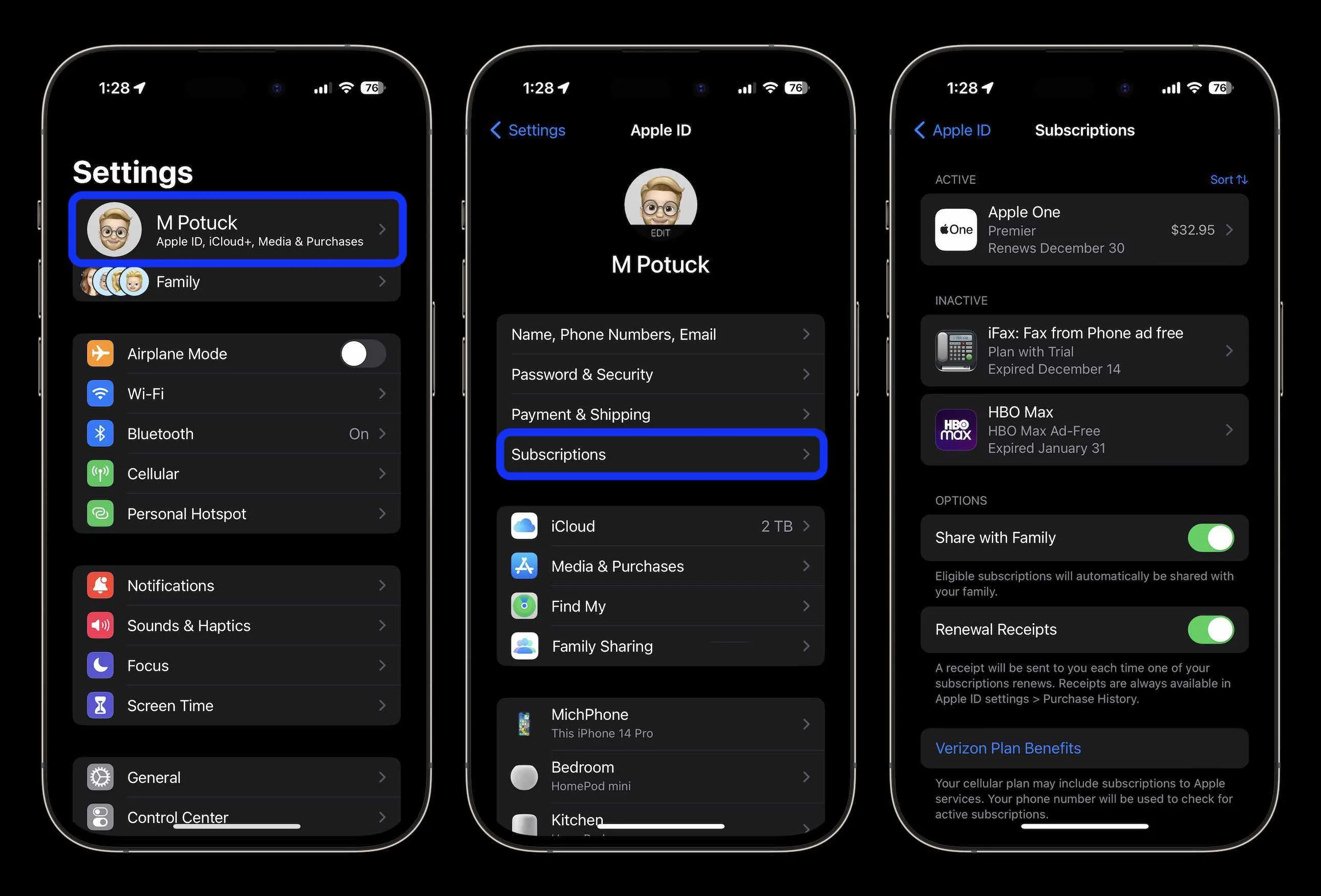
Cancelling your Depositphotos subscription might seem daunting, but don't worry—it's a straightforward process! Here’s a simple step-by-step guide to help you through it:
- Log into Your Account: Start by visiting the Depositphotos website and logging into your account using your email and password.
- Navigate to Account Settings: Once logged in, look for your profile icon, usually located in the upper right corner. Click on it and select Account Settings from the dropdown menu.
- Manage Your Subscription: In the Account Settings, find the Billing tab. Here, you’ll see your current subscription details. Click on Manage Subscription.
- Choose to Cancel: You’ll find an option to cancel your subscription. Click on Cancel Subscription, and follow any on-screen prompts. Be sure to read through any cancellation terms presented.
- Confirmation: After you confirm your cancellation, you should receive an email confirming that your subscription has been successfully cancelled. Keep this email for your records!
And there you have it! With just a few clicks, you can easily cancel your Depositphotos subscription without any hassle.
Also Read This: Profits for Photographers on Shutterstock
What to Expect After Cancellation
After you’ve cancelled your Depositphotos subscription, it’s normal to have a few questions about what happens next. Here’s what to expect:
- Access to Remaining Credits: Even after cancellation, you’ll retain access to any remaining image credits or downloads until your billing period ends. Use them wisely!
- No Further Charges: Once cancelled, you won’t be billed again. This means peace of mind and no unexpected charges on your credit card.
- Account Changes: Your account will remain active for a limited period, allowing you to download any remaining files you might need. However, the subscription benefits will cease immediately.
- Promotional Offers: Depositphotos may reach out with promotional offers to entice you back. Feel free to take advantage of these if you ever decide to return!
In summary, cancelling your subscription is just the beginning of your new journey. Enjoy the freedom of managing your own creative resources!
Also Read This: Exploring the Vast Quantity of Content Available on YouTube
Frequently Asked Questions
When it comes to canceling your Depositphotos subscription, it's completely normal to have questions. Here are some of the most frequently asked questions to help clear up any confusion.
- 1. Can I cancel my subscription at any time?
- 2. Will I lose my unused credits after cancellation?
- 3. How do I know if my cancellation was successful?
- 4. Can I reactivate my subscription later?
- 5. What if I encounter issues while trying to cancel?
Yes! Depositphotos allows you to cancel your subscription at any time. Once you cancel, you won’t be billed for the next billing cycle, but keep in mind that you’ll still have access to your account until the end of the current period.
If you have unused credits at the time of cancellation, they will remain in your account until they expire, which is typically one year from the date of purchase. So, don’t worry about losing those assets right away!
After canceling your subscription, you should receive a confirmation email from Depositphotos. If you don’t see it in your inbox, check your spam folder just in case!
Absolutely! If you ever want to reactivate your subscription, you can easily do so by logging into your account and following the prompts. Your account settings and credits will still be there.
If you face any difficulties, don’t hesitate to reach out to Depositphotos customer support. They’re typically very responsive and can guide you through the cancellation process.
Conclusion
Canceling your Depositphotos subscription doesn’t have to be a hassle. With the right information and a few simple steps, you can easily manage your subscription according to your needs. Whether you’re re-evaluating your usage or simply looking to take a break, knowing how to navigate the process is key.
To recap:
- Access your account: Log in and navigate to your subscription settings.
- Follow the prompts: Choose the option to cancel your subscription.
- Check for confirmation: Ensure you receive a confirmation email.
Maintaining control over your subscriptions is important, and understanding the cancellation process can save you both time and money. Remember, you can always return to Depositphotos in the future, with the peace of mind that your credits will be waiting for you. Happy exploring!