

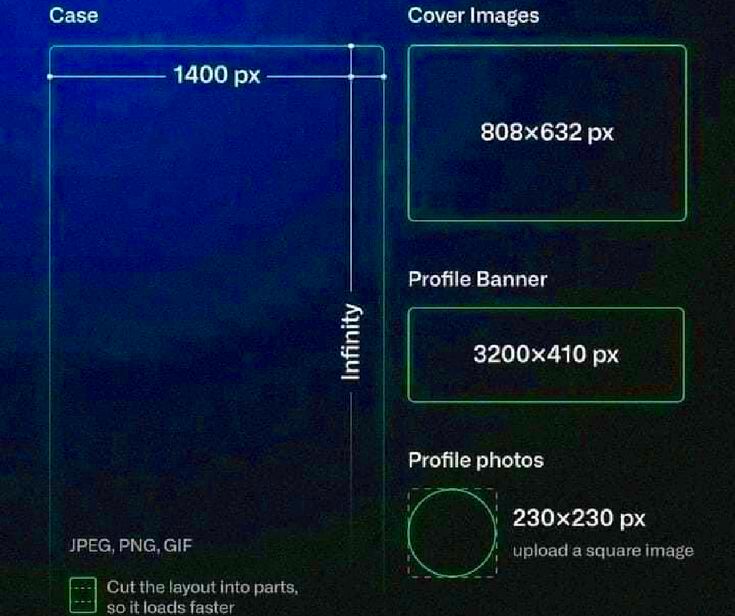
A Behance cover image is the first thing people see when they visit your portfolio. It serves as the visual introduction to your work and can either grab attention or go unnoticed. The cover image not only represents your creativity but also sets the tone for your entire profile. That’s why having the right cover size is essential. Behance has specific requirements when it comes to cover dimensions to ensure your image displays properly across all devices, including desktops, tablets, and smartphones.
Why is the Right Cover Size Important?
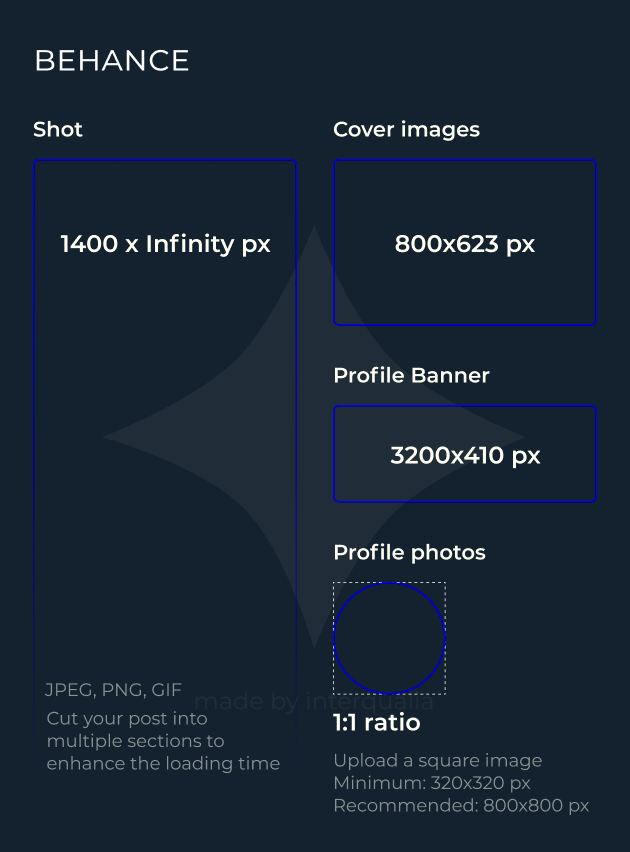
Choosing the right cover size is crucial for several reasons. First, it ensures that your image looks sharp and professional on any screen. A poorly sized cover might get cropped or appear pixelated, which can harm the overall impression of your portfolio. Here are a few key reasons why the right cover size is important:
- Consistency: Proper dimensions ensure that your cover is displayed consistently on various devices, from desktop monitors to mobile screens.
- Professionalism: A well-sized image reflects your attention to detail and professionalism, showing that you care about how your work is presented.
- Improved User Experience: If your cover image fits perfectly, it enhances the user experience, making it easier for viewers to appreciate your portfolio without distractions.
- Avoids Cropping Issues: Using the correct size prevents unwanted cropping, ensuring all important details of your cover are visible.
Also Read This: Develop and Sell Templates with Canva How to Create and Sell Templates
Recommended Dimensions for Behance Cover
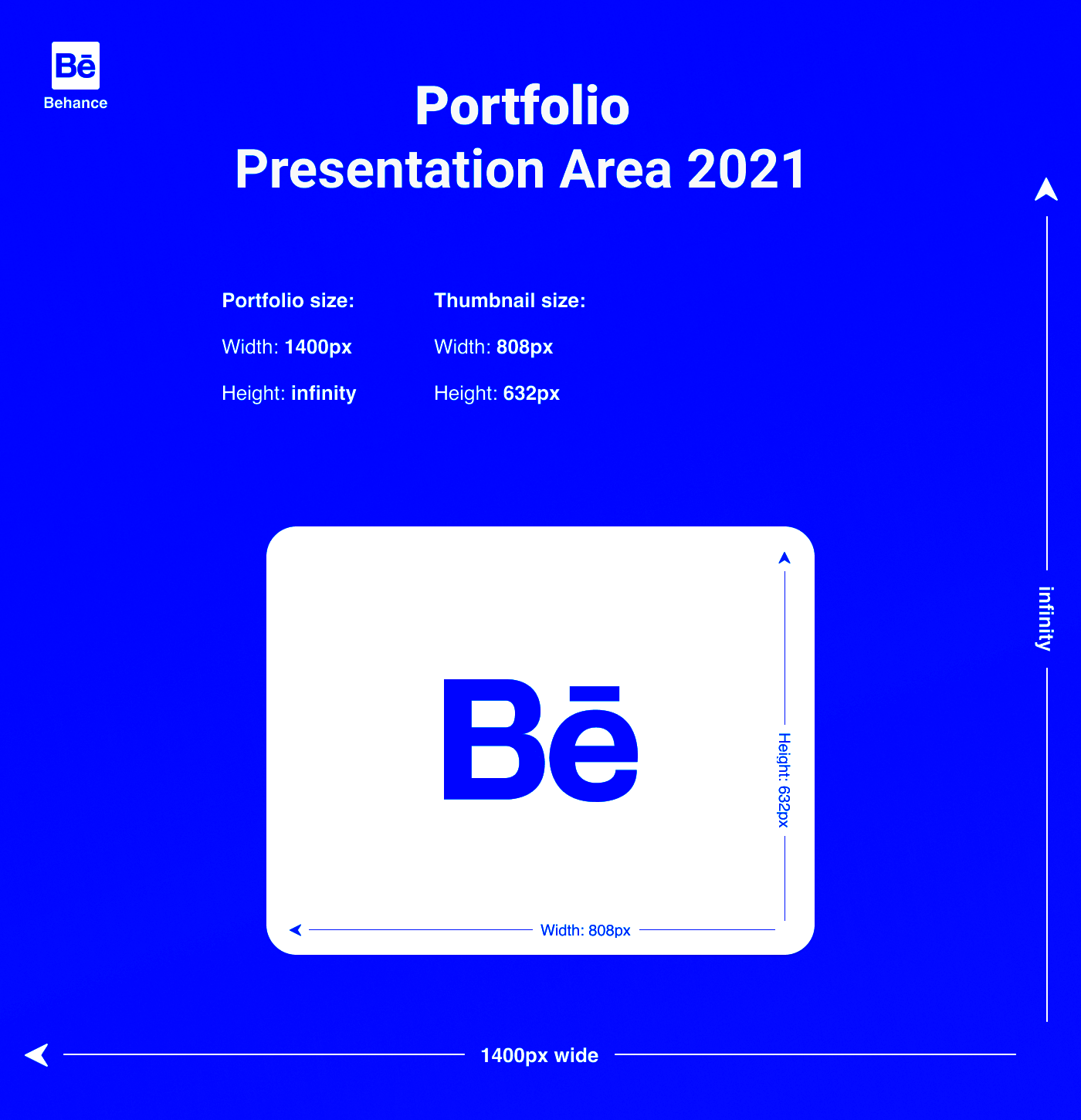
Behance recommends specific dimensions for cover images to ensure they display properly on different devices. To achieve the best results, it’s important to follow these guidelines:
| Device | Recommended Cover Size |
|---|---|
| Desktop | 3200 x 410 pixels |
| Tablet | 1600 x 205 pixels |
| Mobile | 1400 x 180 pixels |
These dimensions ensure your cover image is clear and looks great across different platforms. It’s also a good idea to use a high-resolution image (at least 72 DPI) to avoid any pixelation, especially on larger screens. Always test how your image appears on multiple devices to confirm it displays properly.
Also Read This: How to Add Links in Behance
How to Create a Perfect Behance Cover Image
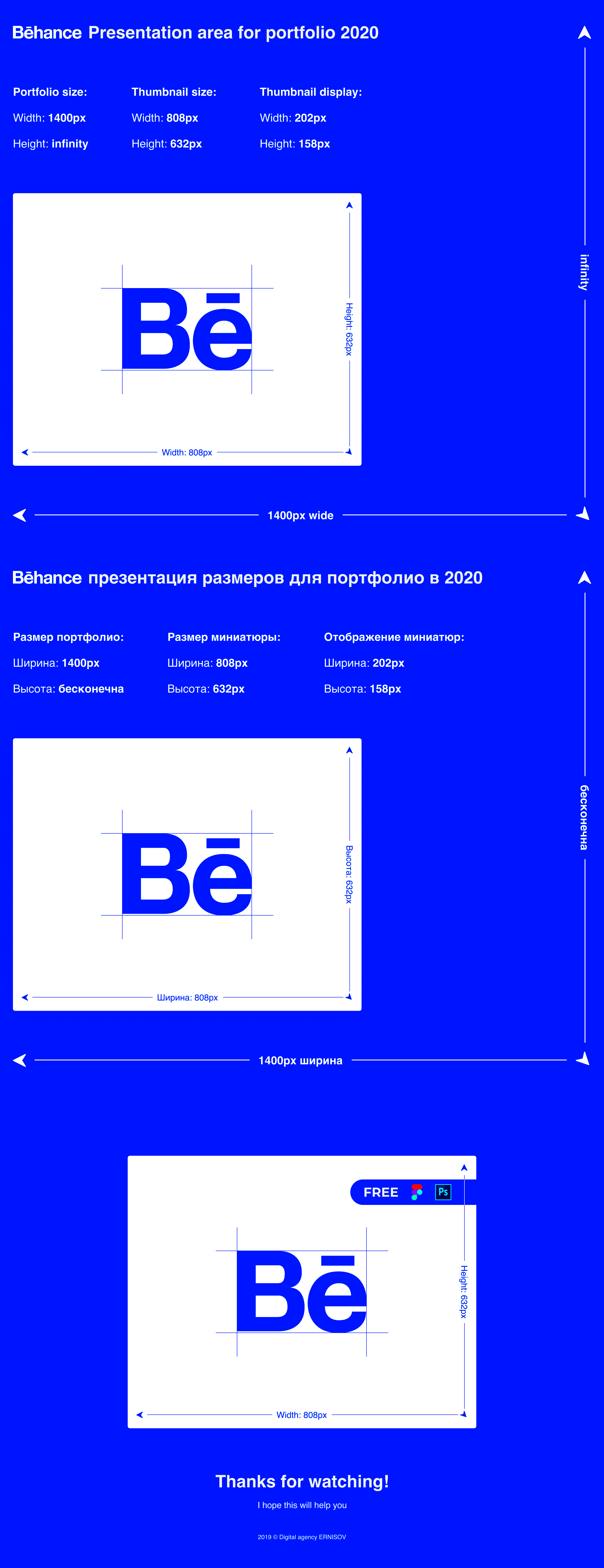
Creating a perfect Behance cover image isn’t just about choosing a beautiful design. It’s about making sure it fits Behance’s specifications and reflects the tone of your work. Your cover image should grab attention while accurately representing your portfolio. Here are some practical tips for designing an effective cover:
- Use the Correct Dimensions: Stick to the recommended dimensions, like 3200 x 410 pixels for desktop. This ensures your cover looks great on all devices without being stretched or cropped.
- Focus on Visual Appeal: Choose an image that is visually striking and aligns with your portfolio’s theme. This could be a highlight of your work, a bold color scheme, or a clean minimalist design.
- Keep Text Minimal: Avoid cluttering your cover with too much text. If you do include text, make sure it’s legible and doesn’t dominate the image.
- Consider Your Audience: Think about what will appeal to your target audience. If you’re showcasing illustrations, your cover should give a glimpse of your style.
- Test on Multiple Devices: Always check how your cover looks on different devices, especially mobile, to make sure nothing important gets cut off.
Taking time to create the right cover image can make a big difference in how people perceive your portfolio.
Also Read This: Best Practices for Saving JPEG Files for Adobe Stock
Common Mistakes to Avoid When Uploading a Cover Image
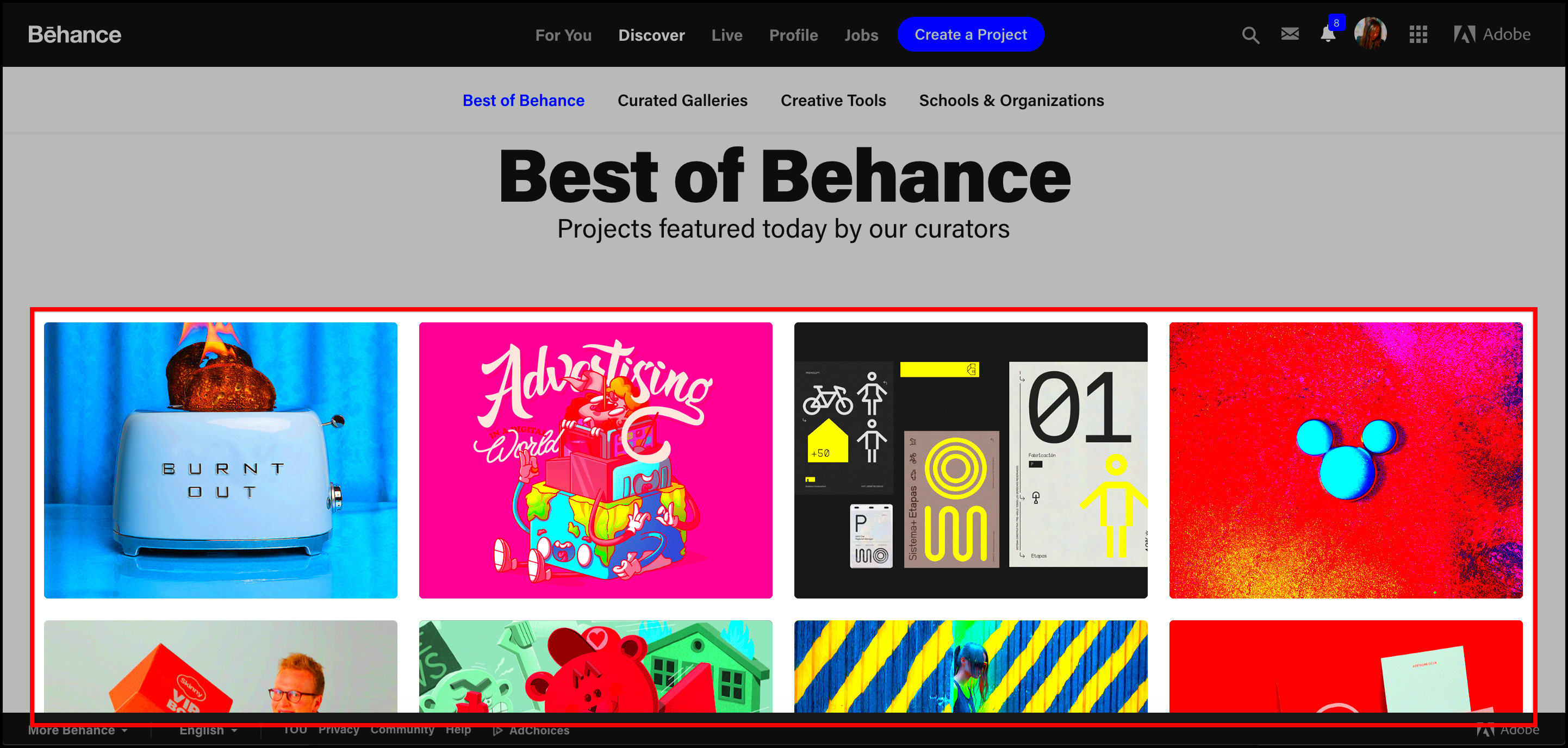
Uploading a cover image may seem simple, but there are common mistakes that can hurt how your portfolio is viewed. Avoid these common pitfalls when choosing and uploading your Behance cover image:
- Wrong Image Size: One of the most common mistakes is not using the correct dimensions. This leads to images being stretched or cropped, which can reduce quality.
- Low-Resolution Images: Uploading a low-resolution image might look fine on small screens, but on larger devices, it could appear pixelated and unprofessional.
- Too Much Text: Overloading your cover with text distracts viewers and takes away from the visual impact of your portfolio. Keep it simple.
- Ignoring Cropping Areas: Some parts of your cover may be hidden depending on the device being used. Make sure important details are in the safe areas where they won’t get cut off.
- Not Checking Multiple Devices: If you don’t check how your cover looks on different screens, you risk losing the cohesive look you intended for your portfolio.
By avoiding these mistakes, you can ensure that your cover image enhances, rather than detracts from, your work.
Also Read This: Introduce Teachers with Canva Meet the Teacher Template
How to Download Behance Cover Images
There are times when you may want to download a Behance cover image, either for inspiration or to analyze how others present their work. While Behance doesn’t provide a direct download button for cover images, you can use tools like ImgPanda to download high-quality Behance cover images quickly and easily. Here’s how to do it:
- Visit ImgPanda: Go to the ImgPanda Behance Image Downloader tool.
- Copy the Behance URL: Find the Behance project or profile with the cover image you want to download, and copy its URL.
- Paste the URL: Paste the URL into the download field on ImgPanda and click the download button.
- Download the Image: After processing, you’ll be able to download the cover image in its original quality.
Using ImgPanda, you can download Behance cover images in just a few clicks, allowing you to gather inspiration or study design trends from other creators.
Also Read This: Get Festive with Canva Christmas Template
Best Practices for Behance Cover Designs
Designing an effective Behance cover is all about balancing creativity with functionality. Your cover image is the first thing people see, so it needs to make a strong impression while fitting within Behance’s guidelines. Here are some best practices to follow when designing your Behance cover:
- Maintain Visual Consistency: Make sure your cover aligns with the overall style of your portfolio. Whether you're showcasing illustrations, photography, or design work, the cover should give a hint of what’s inside.
- Use High-Quality Images: Always use high-resolution images to avoid pixelation, especially on larger screens. The recommended minimum is 72 DPI for digital use.
- Prioritize Simplicity: Less is more when it comes to cover designs. A clean, uncluttered image will make a stronger impact than one overloaded with text or graphics.
- Test for Responsiveness: Behance is viewed on a range of devices, from desktops to mobile phones. Be sure your cover image looks great on all screen sizes by focusing on responsive design.
- Include Key Elements in Safe Zones: Place important elements, like text or focal points, within areas that won’t be cropped out, especially when viewed on mobile devices.
- Stay True to Your Brand: Your cover image should reflect your personal or professional brand. Use colors, fonts, and imagery that represent your work and style.
By following these best practices, you can create a Behance cover that draws attention, reflects your style, and enhances your overall portfolio presentation.
Also Read This: Downloading Storyblocks Videos for Free: Easy Guide
Frequently Asked Questions (FAQ)
Here are some common questions people ask about Behance cover sizes and designs:
Q: What are the recommended dimensions for Behance cover images?
A: For desktop, the recommended size is 3200 x 410 pixels. Make sure your image is high-resolution to ensure clarity on all devices.
Q: Can I upload animated covers on Behance?
A: Yes, you can! Behance supports animated GIFs as cover images, which can make your portfolio stand out even more. Just ensure the file size is manageable and the animation doesn’t distract from your work.
Q: How can I test how my cover looks on different devices?
A: One simple way is to open your Behance profile on multiple devices like your phone, tablet, and desktop. Alternatively, you can use online tools that let you preview how your cover looks across different screen sizes.
Q: Can I change my cover image after uploading?
A: Absolutely! You can update your Behance cover image at any time by editing your portfolio. This allows you to keep your profile fresh and in line with your latest projects.
Conclusion
Choosing the right Behance cover size and design is essential for making a great first impression. Your cover image is the visual gateway to your portfolio, and when done right, it can captivate viewers and encourage them to explore your work further. By sticking to recommended dimensions, avoiding common mistakes, and following best design practices, you can create a cover that enhances your portfolio and showcases your style.
Whether you’re an illustrator, designer, or photographer, your Behance cover plays a key role in representing your creative identity. So take the time to craft a cover that truly reflects your work and leaves a lasting impact on your audience.