

Having a PDF portfolio is essential for showcasing your work, especially on platforms like Behance. It acts as a compact version of your portfolio that can easily be shared and viewed by potential clients or employers. With a PDF, you can present your projects in a professional manner, giving viewers a taste of your skills and creativity.
Here are a few reasons why a PDF portfolio is crucial:
- Easy Sharing: A PDF is easy to send via email or share through links.
- Professional Presentation: A well-designed PDF can elevate your work’s perceived quality.
- Control Over Layout: You can design the layout to best showcase your style and skills.
- Offline Access: Viewers can download and view your portfolio without needing an internet connection.
Choosing the Right Content for Your PDF Portfolio
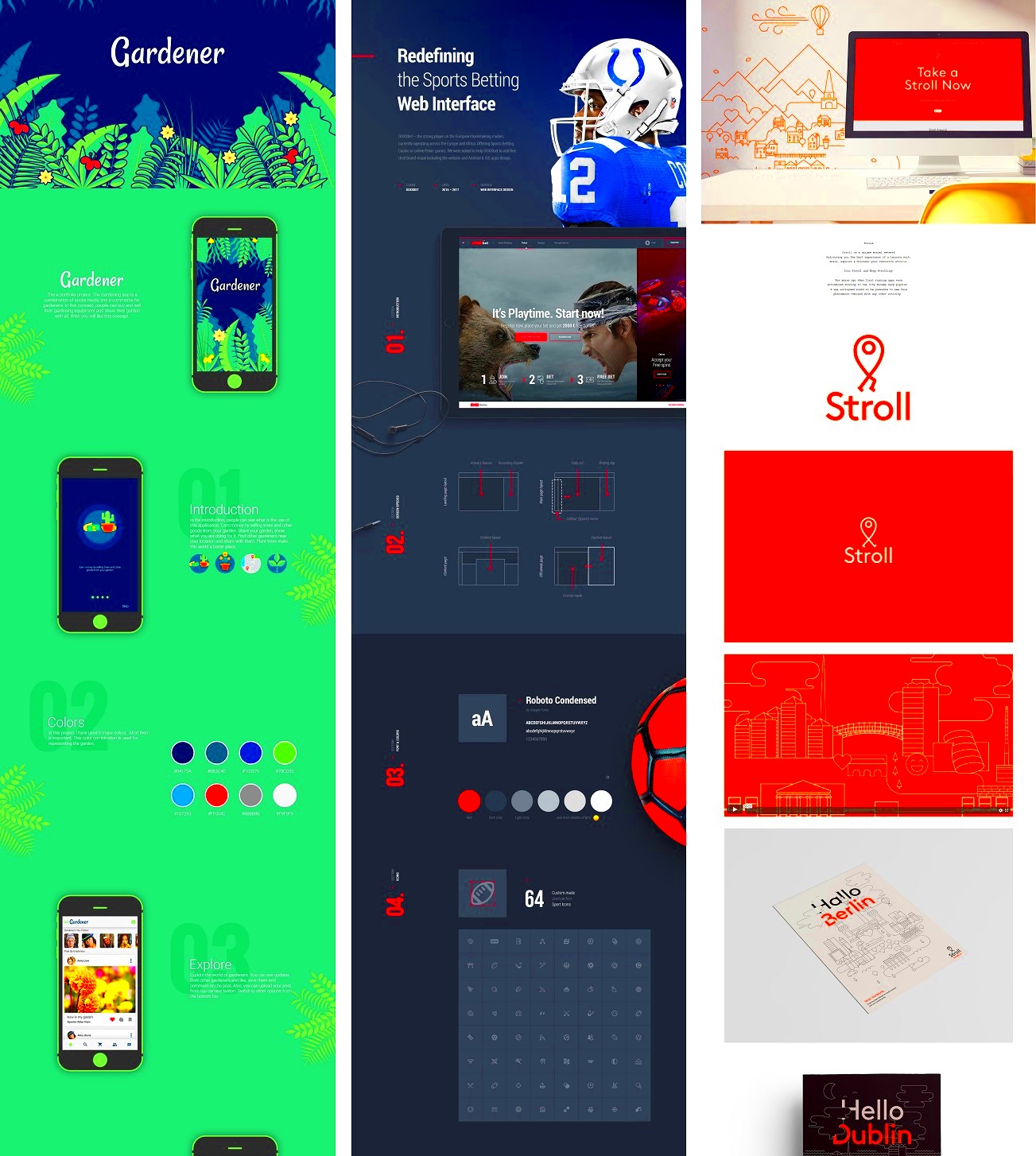
When creating your PDF portfolio, selecting the right content is key. You want to highlight your best work and provide a clear representation of your abilities. Here’s how to choose the right content:
- Showcase Your Best Projects: Pick 5 to 10 of your standout pieces that reflect your skills.
- Include a Variety: Display different styles or types of work to show versatility.
- Write Brief Descriptions: For each project, include a short description outlining the project goals and your role.
- Add Testimonials: If you have client feedback, including a few quotes can add credibility.
Remember, quality over quantity is essential. You want potential clients to focus on your best work, not be overwhelmed by too many projects.
Steps to Create a PDF Portfolio for Behance
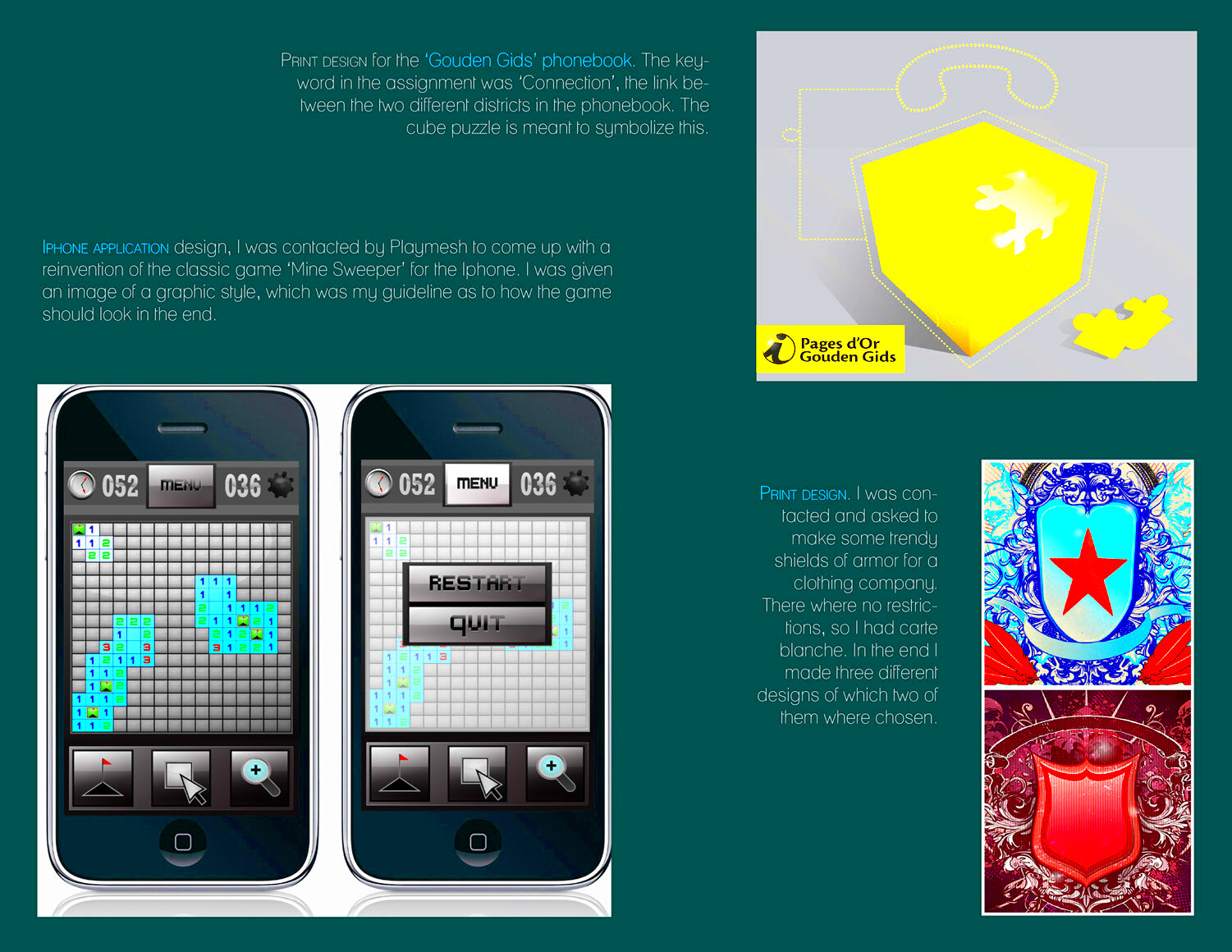
Creating a PDF portfolio for Behance involves several steps, but don’t worry; it’s straightforward! Follow these steps to get started:
- Gather Your Work: Collect your projects, images, and any other content you want to include.
- Choose a Design Tool: Use tools like Adobe InDesign, Canva, or Microsoft Word to design your portfolio.
- Create a Cover Page: Start with a visually appealing cover page that includes your name and a tagline or your specialty.
- Organize Content: Arrange your projects in a logical order, such as by type or chronologically.
- Export as PDF: Once you’re satisfied with your design, export your document as a PDF file.
- Review and Edit: Check for any errors, and ensure that the layout looks good on different devices.
By following these steps, you’ll have a polished PDF portfolio ready to upload to Behance!
How to Upload Your PDF Portfolio on Behance
Uploading your PDF portfolio on Behance is a straightforward process that allows you to showcase your work to a global audience. Once you have your PDF ready, follow these simple steps to get it uploaded:
- Create a Behance Account: If you don’t already have an account, sign up for free on Behance.
- Log In: Enter your credentials to log into your Behance account.
- Click on the “Create a Project” Button: This can usually be found on your dashboard. It will take you to the project creation page.
- Select the “Upload PDF” Option: Look for the option to upload files and choose your PDF. You can drag and drop it or browse your files.
- Add Project Details: Fill in the project title, description, and any tags that relate to your work. This helps people find your project.
- Customize Your Project: You can add images, text, and other media to enhance your project. Make it engaging!
- Publish Your Project: Once you’re happy with how everything looks, click the “Publish” button. Your PDF portfolio is now live for everyone to see!
And just like that, you’re sharing your work with the world. Take a moment to celebrate this achievement!
Tips for Optimizing Your PDF for Behance
To make your PDF portfolio stand out on Behance, it’s essential to optimize it for the best viewing experience. Here are some helpful tips:
- Keep the File Size Manageable: Aim for a PDF size under 10 MB to ensure quick loading times.
- Use High-Quality Images: Ensure your visuals are clear and high-resolution, but compress them to reduce file size.
- Organize Content Logically: Structure your portfolio so that it flows well, guiding viewers from one project to another.
- Incorporate Interactive Elements: Consider adding hyperlinks or buttons within your PDF to direct viewers to your website or social media.
- Test on Multiple Devices: Before uploading, check how your PDF looks on different screens, such as desktops and mobile devices.
By optimizing your PDF, you’ll create a better experience for your audience, increasing the chances they’ll engage with your work!
Common Issues When Uploading PDFs and How to Fix Them
While uploading your PDF to Behance should be simple, sometimes issues can arise. Here are common problems you might encounter and how to solve them:
| Issue | Solution |
|---|---|
| File size too large | Compress your PDF using tools like Adobe Acrobat or online services to reduce the size. |
| PDF fails to upload | Check your internet connection. If it’s stable, try uploading again or use a different browser. |
| Images appear pixelated | Make sure you’re using high-quality images. Consider resizing images before importing them into the PDF. |
| Incorrect formatting | Review your PDF in a viewer before uploading to ensure everything looks as intended. |
By being aware of these issues and knowing how to fix them, you can ensure a smooth uploading experience on Behance. Don’t let minor hiccups discourage you—keep pushing forward!
How to Promote Your PDF Portfolio on Behance
Once your PDF portfolio is uploaded on Behance, the next step is promoting it to reach a wider audience. Promotion is key to getting noticed in a sea of talented creatives. Here are some effective strategies you can use:
- Utilize Social Media: Share your Behance project link on platforms like Instagram, Twitter, and LinkedIn. Use engaging captions and relevant hashtags to attract attention.
- Join Relevant Groups: Participate in Behance groups and communities related to your field. Share your portfolio there and ask for feedback.
- Network with Other Creatives: Collaborate with fellow artists and designers. Sharing each other’s work can expand your reach.
- Engage with the Behance Community: Comment on and appreciate others’ projects. Engaging genuinely can lead to more visibility for your own work.
- Update Regularly: Keep your portfolio fresh by adding new projects or updating existing ones. Frequent updates can keep your audience engaged.
By actively promoting your PDF portfolio, you’ll not only showcase your work but also build connections within the creative community!
Frequently Asked Questions
Here are some common questions that come up regarding PDF portfolios on Behance, along with straightforward answers:
| Question | Answer |
|---|---|
| Can I upload multiple PDFs? | Yes, you can upload multiple projects, each containing its own PDF. |
| Is there a limit on the number of projects I can upload? | No, there’s no limit to the number of projects you can have on Behance. |
| What if I need to edit my PDF after uploading? | You can replace the PDF file in your project settings or update the project details. |
| Can I track the views on my PDF portfolio? | Yes, Behance provides analytics so you can see how many views and appreciations your project receives. |
If you have more questions, feel free to reach out to the Behance community or support for guidance!
Conclusion and Final Thoughts
Creating and promoting your PDF portfolio on Behance is an exciting opportunity to showcase your work and connect with others in the creative industry. Remember, the quality of your content is crucial, so take the time to curate your best pieces. Utilize the promotion strategies we discussed, and engage actively with the Behance community. The more you participate, the more visibility you’ll gain.
In summary, a well-crafted PDF portfolio can open doors to new opportunities and collaborations. Don’t hesitate to share your creativity with the world. Good luck, and enjoy the journey!