
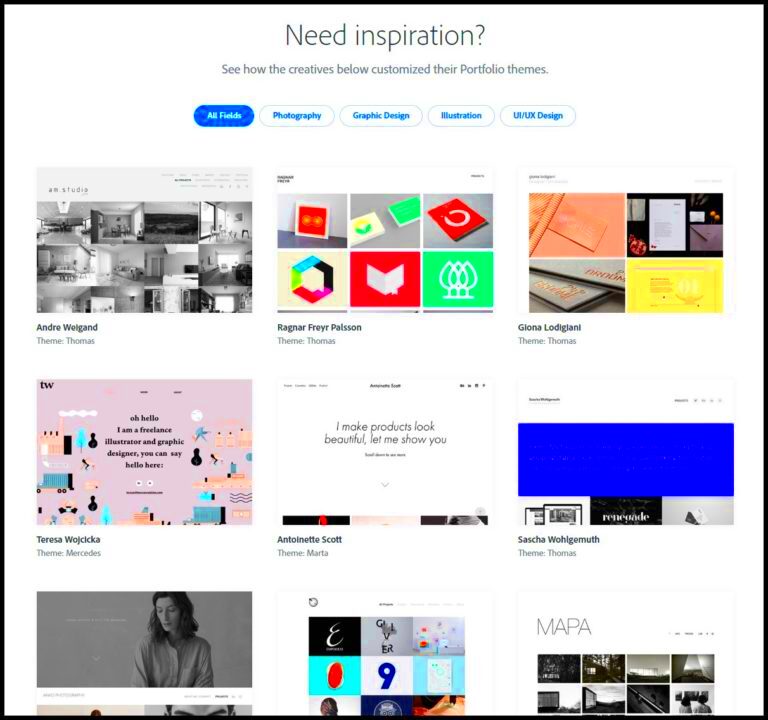
Behance is a platform where creative professionals can showcase their work, connect with others, and find new opportunities. It serves as an online portfolio that helps artists, designers, and other creatives gain visibility and attract potential clients or employers. By sharing your work on Behance, you not only display your talent but also become part of a vibrant community that appreciates and supports creativity.
Here are a few reasons why Behance is important:
- Visibility: Your work gets seen by a global audience.
- Networking: Connect with other creatives and industry professionals.
- Feedback: Receive constructive feedback from peers to improve your skills.
- Opportunities: Many employers scout for talent on Behance.
Creating a Behance Account

Setting up a Behance account is simple and quick. Here’s how you can do it:
- Visit the Behance website: Go to www.behance.net.
- Click on Sign Up: Look for the “Sign Up” button at the top right corner.
- Fill in Your Details: You can sign up using your email or link your Adobe ID, Facebook, or Google account.
- Choose a Username: Select a unique username that reflects your brand or style.
- Complete Your Profile: Add your profile picture, bio, and other relevant information.
Once you complete these steps, you’ll have your own Behance account ready to showcase your work!
Choosing the Right Projects for Your Portfolio
Selecting the right projects is crucial to building a strong Behance portfolio. Here are some tips to help you choose:
- Highlight Your Best Work: Only showcase projects that demonstrate your skills and creativity.
- Show Variety: Include different types of work to showcase your versatility.
- Include Personal Projects: Sometimes, personal projects can show your passion and creativity better than client work.
- Keep it Relevant: Choose projects that align with your career goals or the type of work you want to pursue.
To organize your projects effectively, consider creating categories based on your specialties. For example:
| Category | Examples |
|---|---|
| Graphic Design | Logos, posters, branding |
| Photography | Portraits, landscapes, product photography |
| Illustration | Digital art, sketches, comics |
By choosing the right projects, you can create a compelling portfolio that attracts attention and opportunities!
Organizing Your Portfolio Effectively
Once you have selected the projects you want to showcase, the next step is organizing your portfolio effectively. A well-organized portfolio makes it easier for viewers to navigate and appreciate your work. Here are some tips to help you keep things tidy and appealing:
- Create Categories: Group your work into categories based on themes, styles, or types of projects. For example:
- Graphic Design
- Photography
- Web Design
- Illustration
- Use Featured Projects: Behance allows you to highlight specific projects at the top of your profile. Choose your best work to feature here.
- Maintain Consistent Presentation: Ensure that all your projects follow a similar layout and style for a cohesive look.
- Update Regularly: Keep your portfolio fresh by regularly adding new work and removing outdated projects.
Consider using the following layout structure for your projects:
| Section | Description |
|---|---|
| Project Title | Give each project a catchy title that captures attention. |
| Project Description | Write a brief overview of the project, including your role and the tools you used. |
| Images or Videos | Add high-quality visuals that showcase your work effectively. |
| Tags | Use relevant tags to help people find your work easily. |
By organizing your portfolio well, you make it easier for potential clients or employers to see your talent and skills.
Customizing Your Behance Profile
Your Behance profile is like your online business card, so it’s important to customize it to reflect your personality and style. Here are some ways to make your profile stand out:
- Add a Profile Picture: Choose a professional and approachable photo. This helps people connect with you.
- Write a Compelling Bio: Your bio should briefly introduce who you are, your skills, and what you do. Make it engaging and personal.
- Include Contact Information: Make it easy for people to reach you by including your email or links to social media.
- Link to Your Website: If you have a personal website or blog, include a link to it for more detailed information about your work.
Here’s a quick checklist for customizing your profile:
- Profile Picture: ✔️
- Bio: ✔️
- Contact Information: ✔️
- Website Link: ✔️
Taking the time to customize your profile can help you leave a lasting impression on visitors.
Sharing Your Portfolio with Others
After putting together an amazing portfolio, the next step is sharing it with the world. Getting your work out there is crucial for attracting opportunities. Here are some effective ways to share your Behance portfolio:
- Social Media: Share your Behance link on platforms like Instagram, Twitter, and LinkedIn. Make sure to post visually appealing content that links back to your portfolio.
- Networking: Attend events, workshops, or online meetups to share your portfolio with fellow creatives and potential clients.
- Email Signature: Add your Behance link to your email signature. This way, everyone you communicate with can easily find your work.
- Join Creative Communities: Participate in forums or groups related to your field and share your portfolio there.
Consider using the following promotional strategies:
| Platform | Strategy |
|---|---|
| Post engaging visuals and use hashtags to reach a larger audience. | |
| Share updates about your work and connect with professionals in your industry. | |
| Tweet about your projects and tag relevant accounts to increase visibility. |
Sharing your portfolio widely helps you gain more visibility and opens doors to exciting opportunities!
Maintaining Your Portfolio Regularly
Keeping your Behance portfolio up to date is essential for showcasing your best work and reflecting your growth as a creative professional. Regular maintenance ensures that potential clients or employers see your most relevant and impressive projects. Here are some tips for maintaining your portfolio effectively:
- Review Your Work: Set a schedule to review your portfolio every few months. Remove any outdated or less impressive projects.
- Add New Projects: Whenever you complete a new project, be sure to add it to your portfolio. This keeps your work fresh and relevant.
- Update Project Descriptions: As your skills evolve, update the descriptions of your existing projects to reflect new insights or techniques you’ve learned.
- Check for Consistency: Ensure that all your projects follow a consistent style in terms of layout, color, and fonts.
Consider using this maintenance checklist:
| Task | Frequency |
|---|---|
| Review portfolio | Every 3 months |
| Add new projects | As completed |
| Update descriptions | Every 6 months |
| Check consistency | Every 3 months |
By regularly maintaining your portfolio, you can ensure it stays relevant and continues to attract the right opportunities!
Frequently Asked Questions
As you navigate the world of Behance, you may have some questions about setting up and managing your portfolio. Here are some frequently asked questions along with helpful answers:
- How many projects should I include in my portfolio?
It’s better to focus on quality over quantity. Aim for 8-10 of your best projects that showcase your skills. - Can I edit my projects after publishing?
Yes, you can always edit your projects to update information, add new images, or change descriptions. - Is Behance free to use?
Yes, Behance is free, but you can opt for a premium subscription for additional features. - How can I get noticed on Behance?
Engage with the community by liking and commenting on other projects, and share your work on social media.
If you have any other questions, don’t hesitate to explore the Behance help section or reach out to fellow creatives!
Conclusion
Creating and maintaining a portfolio on Behance is a fantastic way to showcase your creative skills and connect with a larger audience. By understanding the platform, choosing the right projects, organizing your work, and keeping everything updated, you can create an impressive portfolio that opens doors to new opportunities. Remember to customize your profile, share your work widely, and stay engaged with the community. The more effort you put into your portfolio, the more it will reflect your passion and professionalism in your craft. Happy creating!