
Setting up YouTube TV to access your local news is a straightforward process, and it ensures that you stay connected with what’s happening in your community. Here’s a step-by-step guide to help you get started:
- Sign Up or Log In: If you don’t already have a YouTube TV account, start by signing up. If you do, just log in using your credentials.
- Select Your Location: Once you’re in, YouTube TV will prompt you to select your home area. This is crucial because it determines which local channels you can access. Make sure to enter your correct zip code for accurate results.
- Customize Your Channel Lineup: After setting your location, take a moment to customize your channel lineup. YouTube TV typically includes major networks like ABC, CBS, NBC, and FOX, which broadcast local news. Check to ensure these channels are added to your subscription.
- Explore Your Options: You can also explore additional channel packages if you’re interested in more specialized news channels, such as CNN, MSNBC, or local affiliates.
- Set Up DVR: YouTube TV offers a cloud-based DVR feature. Make sure to set this up, allowing you to record local news broadcasts and watch them whenever you want.
- Access on Various Devices: YouTube TV can be accessed on multiple devices, including smart TVs, computers, tablets, and smartphones. Download the app or visit the YouTube TV website for easy viewing.
Following these steps will ensure that you’re all set up to catch your local news on YouTube TV with ease!
Finding Your Local News Stations
Now that you’ve set up YouTube TV, it’s time to find your local news stations. This can enhance your viewing experience, allowing you to stay updated with local happenings. Here’s how to find them:
- Search Using the Guide: YouTube TV has a built-in program guide. Simply navigate to the “Live” section and scroll through the channels. Your local news stations will typically be listed prominently.
- Use the Search Feature: If you know the name of your local news station, use the search function at the top of the screen. Typing in the station’s name will direct you to the live broadcast or past segments.
- Check Local Affiliates: Major networks like ABC, CBS, NBC, and FOX often have local affiliates. Look for these channels in your lineup as they regularly air local news. For example, if you’re in New York City, you might look for channels like WABC or WCBS.
- Visit the YouTube TV Help Center: If you’re having trouble finding your local news stations, the YouTube TV Help Center is an excellent resource. They provide information on channel availability based on your location.
By following these tips, you can quickly find and access your local news stations, ensuring you’re always in the loop about your community!
5. Tips for Customizing Your Local News Experience
Customizing your local news experience on YouTube TV can truly enhance how you stay informed. Here are some practical tips to make the most out of your viewing:
- Adjust Your Location Settings: Make sure your location settings are accurate. Go to your YouTube TV settings and update your home area. This ensures that you get news from your local channels.
- Explore Different Channels: YouTube TV offers a variety of local news channels. Check out options like ABC, NBC, CBS, and FOX. You can add or remove channels based on your interests.
- Use the Search Function: If you’re looking for specific news segments or topics, use the search bar. Type in keywords or the names of local stations to find relevant content quickly.
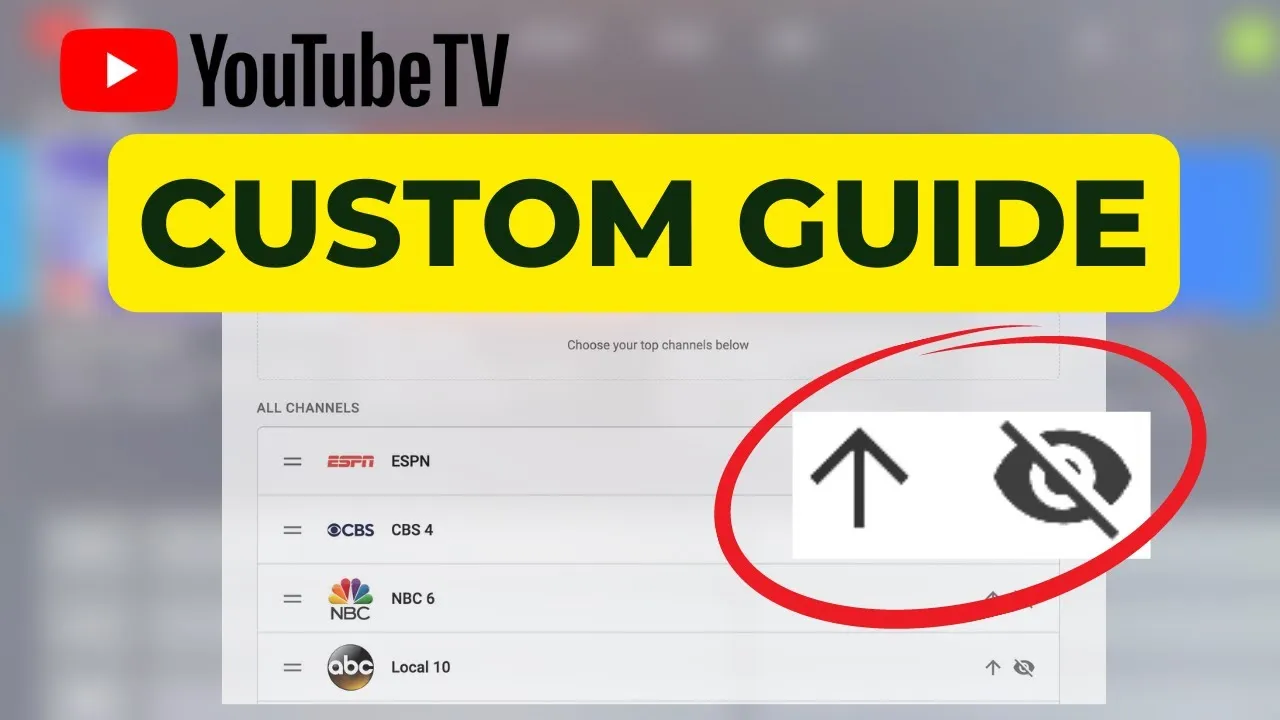
- Create a Favorites List: You can customize your channel guide by creating a favorites list. This way, your most-watched local news channels are always at the top for easy access.
- Set Notifications: Enable notifications for breaking news or specific shows. YouTube TV will alert you when your selected channels go live or when significant news breaks.
By implementing these tips, you can tailor your YouTube TV experience to suit your local news preferences and stay updated with ease!
6. Frequently Asked Questions about Local News on YouTube TV
Wondering about how local news works on YouTube TV? Here are some common questions and answers to help you out:
| Question | Answer |
|---|---|
| Can I watch live local news on YouTube TV? | Yes, YouTube TV allows you to stream live local news from various channels, depending on your location. |
| Are there any restrictions on local channels? | Local channels are typically only available in your designated home area, so make sure your location settings are accurate. |
| How many local channels can I access? | The number of local channels varies based on your region, but YouTube TV generally offers a good selection of major network affiliates. |
| Can I watch local news on-demand? | Yes! You can access local news segments on-demand, just search for the specific news show or segment you’d like to watch. |
| Is there a free trial available? | YouTube TV often offers a free trial for new users, allowing you to explore local news and other channels before committing. |
These FAQs should clear up some of your doubts about accessing local news on YouTube TV. Always feel free to reach out to customer support for more specific inquiries!
How to Access Local News on YouTube TV
YouTube TV is a popular streaming service that offers a variety of channels, including local news stations. Accessing local news on YouTube TV can keep you informed about events happening in your area. Here’s how you can easily find and watch local news channels on this platform.
To access local news on YouTube TV, follow these steps:
- Sign Up or Log In: If you haven’t already, sign up for a YouTube TV account. If you have an account, simply log in.
- Set Your Location: YouTube TV uses your location to determine which local channels are available to you. Ensure that your location settings are correct in your account settings.
- Browse Available Channels: Navigate to the “Live” tab on the YouTube TV interface. Here, you can see a list of channels available in your area.
- Search for Local News: Use the search function to find specific local news channels. For example, you might type in “ABC News” or “CBS News” to find your local affiliate.
- Add to Library: You can add your favorite local news channels to your library for easy access in the future. Click on the channel and select “Add to Library.”
Here’s a quick reference table of popular local news networks you might find:
| Network | Type |
|---|---|
| ABC | Local News |
| CBS | Local News |
| NBC | Local News |
| FOX | Local News |
By following these simple steps, you can easily access and stay updated with local news on YouTube TV. Enjoy the convenience of streaming your favorite local broadcasts anytime, anywhere!
Conclusion: Accessing local news on YouTube TV is straightforward and offers viewers the flexibility to stay informed about their community with just a few clicks.