
Downloading audio from YouTube videos can be incredibly useful, whether you’re looking to create playlists, extract sound bites, or simply enjoy your favorite tunes offline. However, the process isn’t as straightforward as it might seem. With various tools and methods available, it’s important to navigate this landscape carefully. In this guide, we’ll explore the ins and outs of downloading audio from YouTube videos, ensuring you have the right tools and knowledge to do it properly.
Understanding YouTube’s Policies
Before diving into the practical aspects of downloading audio from YouTube, it’s crucial to understand the platform’s policies. YouTube‘s terms of service explicitly state that users should not download content unless a download button or link is provided by
Here are some key points to consider regarding YouTube’s policies:
- Content Ownership: Most videos on YouTube are copyrighted, meaning the creator holds the rights to the audio and video content. Downloading without permission may infringe on those rights.
- Fair Use Exception: In some cases, downloading for educational purposes or commentary may fall under fair use. However, this is a gray area and should be approached with caution.
- Third-Party Tools: Many tools exist that allow downloading audio, but using these may violate YouTube’s terms. Always check the software’s compliance with legal standards.
- Streaming Rights: YouTube operates on a streaming model, and downloading disrupts this ecosystem. Respect the platform and its creators by adhering to its policies.
In summary, while it may be tempting to download audio from YouTube videos, it’s essential to be aware of the legal implications and YouTube’s policies. Keeping these points in mind will help you navigate your options without running afoul of the rules!
Methods for Downloading Audio
When it comes to downloading audio from YouTube videos, there are several methods you can choose from, depending on your preferences and technical skills. Here’s a rundown of the most popular methods:
- Desktop Software: There are numerous software applications designed for downloading audio. Programs like 4K Video Downloader or YTD Video Downloader allow users to download audio tracks directly from YouTube. These tools usually offer options for different audio formats, such as MP3 or WAV.
- Browser Extensions: If you prefer a quick solution, consider browser extensions like YouTube to MP3 Converter for Chrome or Firefox. These extensions add a download button to YouTube videos, making it easy to grab the audio you want with just a click.
- Command-Line Tools: For the tech-savvy, tools like youtube-dl offer powerful command-line options. This tool can download audio in various formats and is highly customizable, making it suitable for advanced users.
- Mobile Apps: If you’re on the go, there are mobile applications like TubeMate (for Android) that let you download audio tracks directly to your smartphone. Just remember to check the legality of using these apps in your region.
Using Online Tools
Online tools have made downloading audio from YouTube videos incredibly easy and accessible. Here’s how you can do it:
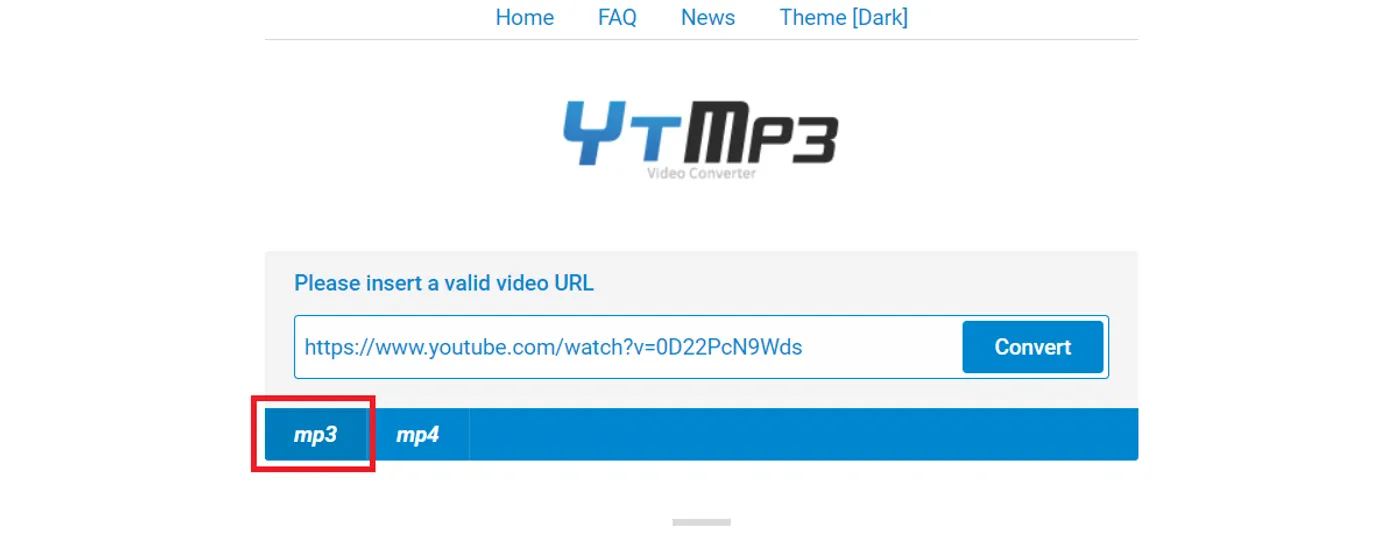
- Visit a YouTube to MP3 Converter Website: Websites like ytmp3.cc allow you to paste the URL of the YouTube video and convert it to audio. It’s as simple as copying the link and pasting it into the site’s input box.
- Choose Your Format: Most online tools will let you select the audio format (like MP3 or M4A) before downloading. This is handy because it allows you to choose the quality that suits your needs.
- Download Your Audio: After conversion, just click the download button and save the audio file to your device. It’s usually a quick process, taking only a few moments.
Pros: Online tools are typically free, user-friendly, and don’t require software installation. However, they depend on a stable internet connection and may have limitations on file size or conversion speed.
5. Using Software Applications
When it comes to downloading audio from YouTube videos, software applications can be a game changer. They often offer more features and flexibility than online converters. Here are some popular software applications you might consider:
- 4K YouTube to MP3: This user-friendly software allows you to extract audio in high quality. Simply copy the video link, paste it into the application, and choose your preferred audio format.
- YTD Video Downloader: Not only does it let you download videos, but you can also extract audio easily. It supports multiple formats, including MP3, AAC, and more.
- Freemake Video Downloader: Freemake is another popular choice, allowing you to download playlists and channels, making it perfect for bulk downloads.
Using these applications is straightforward. Here’s a quick guide:
- Install the software of your choice.
- Copy the YouTube video link.
- Paste it into the application.
- Select the audio format and quality.
- Click on the download button, and voila!
Many of these applications also allow you to set preferences for automatic downloads, which can save you a lot of time if you’re downloading multiple tracks.
6. Tips for High-Quality Audio Downloads
If you’re looking to get the best audio quality from your YouTube downloads, following a few simple tips can make a big difference:
- Choose the Right Format: When downloading, opt for lossless formats like WAV or FLAC if available, as they retain the original sound quality.
- Select Higher Bitrates: If you’re limited to MP3, look for options that allow you to download at a higher bitrate (320 kbps is ideal).
- Use YouTube Premium: Subscribers can download videos for offline listening, which sometimes offers better sound quality than standard downloads.
Additionally, consider the following:
| Tip | Description |
|---|---|
| Check Internet Speed | A slower connection can affect download quality. Ensure you have a stable, fast internet connection. |
| Listen Before Downloading | Preview the audio to ensure it meets your quality expectations before committing to the download. |
By keeping these tips in mind, you’ll enhance your experience and ensure you enjoy crisp, clear audio from your favorite YouTube videos!
Downloading Audio from YouTube Videos
YouTube has become a go-to platform for music lovers, educators, and content creators alike. With millions of videos available, sometimes you may want to extract just the audio from a video for personal use, such as creating playlists or listening to lectures on the go. In this guide, we’ll explore various methods for downloading audio from YouTube videos safely and legally.
Methods to Download Audio
There are several methods to download audio from YouTube, including:
- Online Converters: Websites like YTMP3, Convertio, and OnlineVideoConverter allow you to paste the YouTube link and convert it to an MP3 file.
- Desktop Software: Programs like 4K Video Downloader and Any Video Converter enable you to download audio files directly to your computer.
- Browser Extensions: Extensions such as Video DownloadHelper and YouTube Video Downloader can be added to browsers like Chrome or Firefox for easy downloads.
- Mobile Apps: Apps like TubeMate for Android let you download audio directly to your mobile device.
Legal Considerations
Before downloading audio, it’s crucial to consider copyright laws. Here are some guidelines:
| Usage | Legality |
|---|---|
| Personal Use | Generally acceptable, but check copyright status of the content. |
| Commercial Use | Requires permission from the copyright holder. |
By understanding the methods and legal considerations, you can effectively download audio from YouTube videos while respecting the rights of content creators.
In conclusion, downloading audio from YouTube videos can be straightforward and convenient if done correctly. Always prioritize legal methods and ensure you have the right to use the content, making your audio experience enjoyable and compliant.