
Subscribing to a YouTube channel is a straightforward process that allows you to keep up with your favorite creators and their latest content. Here’s how you can do it:
- Open YouTube: Start by launching the YouTube app on your mobile device or visiting the website on your computer.
- Find a Channel: You can search for a specific channel using the search bar at the top or explore recommended channels on the homepage.
- Click on the Channel Name: Once you’ve located the channel, click on its name to view its page. This will display all the videos and playlists they have uploaded.
- Hit the Subscribe Button: At the top of the channel page, you’ll see a red “Subscribe” button. Click on it! You’ll be prompted to sign in if you haven’t already.
- Enable Notifications (Optional): After subscribing, you’ll see a bell icon next to the subscribe button. Clicking this will allow you to choose between ‘All’, ‘Personalized’, or ‘None’ for notifications whenever the channel posts new content.
And there you go! You are now subscribed to your favorite channel, and you’ll be notified whenever they release new videos. It’s that easy!
Managing Your Subscriptions
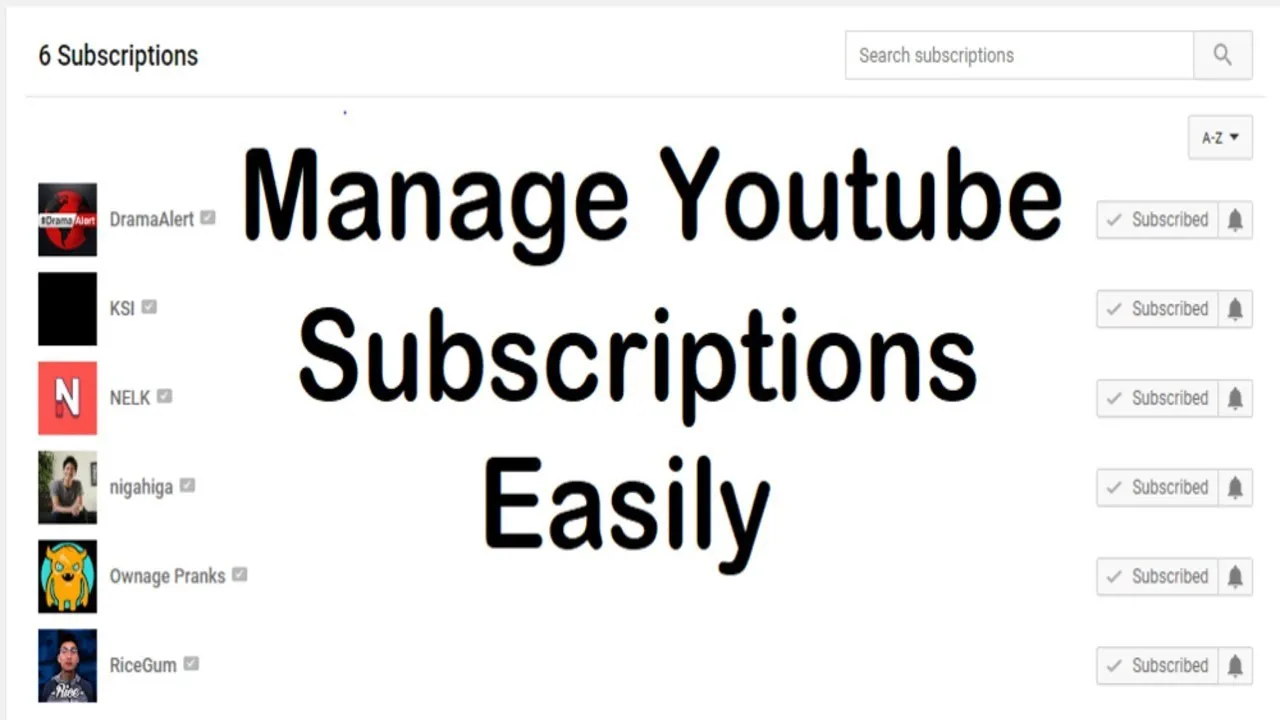
As your YouTube journey progresses, you may find yourself subscribing to numerous channels. Managing these subscriptions can help you keep your feed organized and relevant. Here’s how you can effectively manage your YouTube subscriptions:
- Access Your Subscriptions: Click on the “Subscriptions” tab on the left-hand side of the YouTube homepage. This will show you a feed of recent uploads from all your subscribed channels.
- Organize Your Subscriptions: To make things easier, you can create playlists for different types of content. For example, you could have a playlist for cooking channels, tech reviews, or travel vlogs.
- Unsubscribe: If you find that a channel no longer interests you, it’s easy to unsubscribe. Simply navigate to the channel page and click the “Subscribed” button again to unsubscribe.
- Adjust Notification Settings: Manage how and when you receive notifications by clicking on the bell icon next to each subscribed channel. This way, you can tailor your experience based on your interests.
By actively managing your subscriptions, you’ll ensure that your YouTube experience remains enjoyable and tailored to your preferences. Happy watching!
Notifications and Updates from Subscribed Channels
When you subscribe to a YouTube channel, you’re not just following their content; you’re opening the door to a world of notifications and updates! This feature is designed to keep you in the loop about the latest videos and special content your favorite creators offer. But how does it work?
Once you hit that subscribe button, you’ll notice a little bell icon next to it. This bell is your key to customization:
- All: If you select this option, you’ll receive notifications every time the channel uploads new content.
- Personalized: This option allows YouTube to tailor notifications based on your viewing habits, so you only see what you might be interested in.
- None: If you prefer to keep your feed clear of notifications, you can choose this option, and you won’t get any alerts.
It’s worth mentioning that notifications can be managed not just on YouTube, but also through your device’s settings. So, if you find yourself overwhelmed with updates, feel free to adjust your preferences!
Lastly, keep in mind that not every subscriber will receive notifications simultaneously. YouTube uses algorithms to determine which notifications are sent out, so don’t be alarmed if you miss a few! Just check back on the channels you love to catch up.
Common Questions About YouTube Subscriptions
As a new user navigating the world of YouTube subscriptions, you might have some burning questions. Let’s tackle a few of the most common:
| Question | Answer |
|---|---|
| Can I unsubscribe anytime? | Absolutely! Just click the “Subscribed” button again, and you’re out. No hard feelings. |
| Do subscriptions cost money? | Nope! Subscribing to channels is completely free. |
| Will I see all videos from subscribed channels? | Not necessarily. YouTube’s algorithm decides what to show you based on your viewing habits. |
| What’s the difference between subscribing and liking a video? | Subscribing means you want to see more from that channel, while liking a video shows appreciation for that specific content. |
By understanding these key aspects, you’ll be better equipped to enjoy the vast universe of YouTube content tailored just for you! Don’t hesitate to explore and ask questions along the way.
Understanding YouTube Subscriptions for New Users
YouTube subscriptions are an essential feature that allows users to stay updated with their favorite content creators and channels. When you subscribe to a channel, you are essentially expressing your interest in their content, ensuring that you receive notifications about new uploads and updates. Here’s what you need to know about YouTube subscriptions:
How Subscriptions Work
When you subscribe to a channel, you can:
- Receive notifications for new videos.
- Access a personalized feed of content from channels you subscribe to.
- Support your favorite creators by increasing their subscriber count.
Benefits of Subscribing
Subscribing to channels comes with several advantages:
| Benefit | Description |
|---|---|
| Stay Updated | Get notified whenever a channel uploads new content. |
| Personalized Experience | Your subscription feed will show videos from channels you enjoy. |
| Engagement | Comment and interact with the community around your favorite channels. |
How to Subscribe
Subscribing to a channel is simple:
- Navigate to the channel’s page.
- Click the red Subscribe button.
- Optionally, click the bell icon to turn on notifications.
Conclusion and Tips for New Users
Understanding YouTube subscriptions can significantly enhance your viewing experience. As a new user, make sure to explore different channels and subscribe to those that resonate with you. Don’t hesitate to engage with the content by liking and commenting, as this fosters a community and supports your favorite creators.