
Before we dive into the details of embedding Prezi presentations on Behance, let’s take a moment to understand what these platforms are. Prezi is a dynamic presentation tool that allows users to create visually engaging and interactive presentations. Unlike traditional slide-based methods, Prezi uses a canvas format, enabling users to zoom in and out to present information in a more engaging way. This unique approach makes it popular among educators, marketers, and creative professionals alike.
On the other hand, Behance is a vibrant online platform where creatives showcase their work, connect with other professionals, and discover new projects. Whether you’re a graphic designer, photographer, or filmmaker, Behance serves as a portfolio hub, allowing users to present their creative projects to a global audience.
Both Prezi and Behance emphasize creativity and visual storytelling. By integrating the two, you can enhance your portfolio by showcasing interactive presentations that capture attention and effectively communicate your ideas. This combination is especially useful for freelancers and agencies looking to stand out in a competitive market.
Why Embed Prezi on Behance
Embedding a Prezi presentation on your Behance portfolio can significantly enhance your profile. Here’s why:
- Engagement: Interactive presentations keep viewers engaged. Instead of static images, your audience can navigate through your Prezi, making the experience immersive.
- Visual Appeal: Prezi’s unique, visually appealing format allows you to showcase your content in a way that’s both attractive and informative. It helps your project stand out among competitors.
- Showcasing Skills: By embedding your Prezi, you highlight not only your project but also your ability to use innovative tools and present ideas creatively. This can impress potential clients or collaborators.
- Improved Communication: Prezi can convey complex ideas more simply. By integrating it into your Behance portfolio, you can communicate your vision more effectively, regardless of the audience’s familiarity with the topic.
- Easy Sharing: Embedding Prezi makes your work easily shareable. Viewers can share both your Behance page and the Prezi, increasing your visibility across platforms.
In summary, embedding a Prezi on Behance not only enhances the aesthetics of your portfolio but also boosts engagement, showcases your skills, and improves communication. It’s a simple yet powerful way to upgrade your presentation game!
Preparing Your Prezi Presentation for Embedding
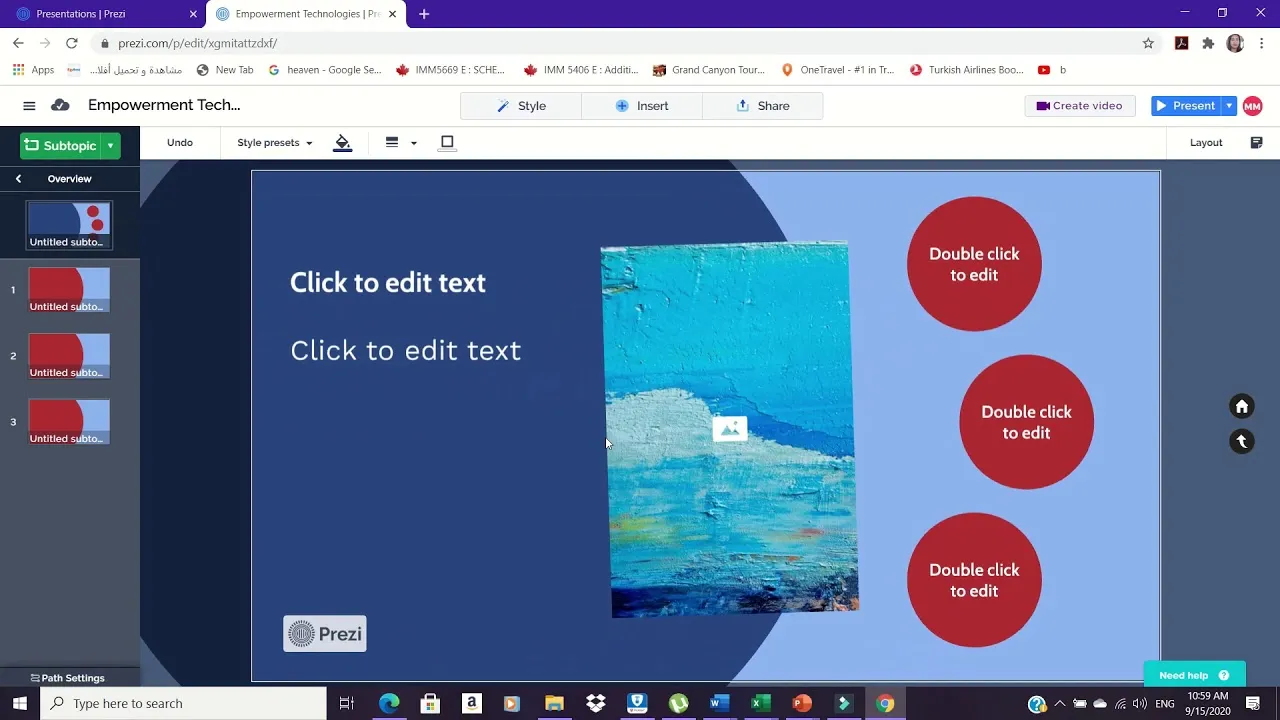
Before you can successfully embed your Prezi presentation on Behance, there are a few critical steps you should take to ensure everything goes smoothly. Proper preparation is key to creating an engaging experience for your viewers. Let’s break down the process:
- Finalize Your Prezi: Make sure your Prezi is complete. Review your content for any typos or formatting errors, and ensure that all visual elements are aligned with your message. This is often the step where most creators jump the gun, so take your time!
- Set Your Privacy Settings: Prezi allows you to control who can view your presentation. Navigate to the privacy settings within Prezi and make it public or set it according to your desired audience. Remember, if your Prezi is marked as private, it won’t be visible on Behance.
- Get the Embed Code: This is crucial! Prezi provides an HTML embed code that allows you to insert your presentation into other platforms. Find this code by clicking on the “Share” button, then selecting “Embed. ” You’ll see a variety of options; make sure you choose the right size and settings that fit well with Behance.
By following these steps, you’ll be well-equipped to seamlessly integrate your Prezi presentation into your Behance portfolio. This not only enhances your project visually but also provides an interactive experience for your audience.
Steps to Embed Prezi on Behance
Now that your Prezi presentation is ready, it’s time to actually embed it on Behance. Don’t worry; the process is fairly straightforward! Follow these simple steps to showcase your interactive presentation:
- Log into Behance: Start by logging into your Behance account. If you don’t have one yet, creating an account is free and easy. Just follow the prompts!
- Create a New Project: After logging in, click on the “Create a Project” button. This will take you to the project editing screen where you can add various elements to showcase your work.
- Select the Embed Code: Look for the option to add an embed. This is typically represented by a “+” icon or an embed button. Paste the Prezi embed code you copied earlier into the designated area.
- Adjust the Size: Ensure that the presentation fits well within the layout of your Behance project. You can adjust the height and width of the embedded window as necessary to maintain a professional appearance.
- Preview and Publish: Before publishing, use the preview feature to see how everything looks. If you’re satisfied with the appearance and functionality, go ahead and click “Publish.”
And voila! Your Prezi presentation should now be live on your Behance project. This integration will not only enrich your portfolio but also provide an interactive element for potential clients and collaborators to engage with your work.
Customizing Your Embedded Presentation
Once you’ve successfully embedded your Prezi on Behance, the next step is customization. Customization helps you ensure that your presentation not only looks great but also aligns perfectly with your brand identity and the overall aesthetic of your Behance project.
Here are some tips to customize your embedded Prezi:
- Adjust Size: You can modify the height and width of the embedded frame using the embed code. Experiment with different dimensions to find what fits best on your Behance page. Typical dimensions are 800×600 pixels, but feel free to adjust based on your design.
- Choose Display Settings: Prezi allows for various display options such as autoplay, rotation speed, and controls visibility. Select options that enhance user experience. For instance, if you want viewers to focus solely on your presentation, consider hiding navigation controls.
- Branding Elements: Incorporate your logo or brand colors if possible. While the Prezi background may be customizable, ensure that it blends well with Behance’s design palette and doesn’t overshadow the content.
- Interactive Elements: Leverage Prezi’s interactive features, such as zooming effects and clickable paths, to enhance engagement. Make sure you guide viewers on how to interact with data or visuals embedded within your presentation.
With these tips, your Prezi will not only be functional but will also elevate the overall look and feel of your Behance portfolio, making it more engaging and visually appealing.
Troubleshooting Common Issues
Even the most carefully crafted presentations may encounter issues when embedding on Behance. Don’t worry; many of these problems have straightforward solutions. Here are some common issues and how to address them:
| Issue | Possible Solutions |
|---|---|
| Embed Code Not Working |
|
| Presentation Not Displaying Properly |
|
| Slow Loading Times |
|
If you encounter any issues not covered here, don’t hesitate to consult the Prezi or Behance support communities. Often, others have faced similar challenges and can offer insights to get you back on track. Happy embedding!
Best Practices for Presenting on Behance
When it comes to showcasing your work on Behance, especially when integrating interactive presentations like Prezi, there are a few best practices to keep in mind. These tips will help you maximize engagement and ensure your portfolio stands out!
- Keep it Simple: Understand that less can often be more. Avoid overcrowding your Prezi with too much information. Limit content to what’s necessary, focusing instead on delivering a clear message.
- Effective Use of Visuals: Utilize stunning visuals that resonate with your audience. This could be high-quality images, videos, or even animations. Prezi allows you to create appealing visuals that can captivate viewers instantly.
- Strong Opening: Start with a compelling introduction. Your first few seconds are crucial—grab your audience’s attention quickly with an engaging hook or key insight.
- Interactive Elements: Take advantage of Prezi’s interactive features. Encourage viewers to engage with your content by incorporating clickable elements and narrative paths that guide them through your presentation.
- Mobile Optimization: Many users browse Behance on mobile devices, so make sure your Prezi presentation is mobile-friendly. Test your presentation on various devices to ensure it looks great everywhere.
- Clear Call to Action: At the end of your presentation, include a clear call to action. Whether it’s to contact you, visit your website, or follow you on social media, encourage viewers to take the next step.
- Regular Updates: Continually refresh your Behance portfolio. Update your Prezi presentations and add new projects frequently to keep your profile dynamic and engaging.
Examples of Successful Prezi Embeds on Behance
Looking for inspiration on how to effectively embed Prezi presentations into your Behance projects? Here are a few shining examples that highlight the potential of this integration:
| Project Title | Creator | Description | Key Features |
|---|---|---|---|
| Interactive Design Portfolio | Jane Doe | A beautifully crafted portfolio using Prezi to showcase interactive UX designs. |
|
| Annual Marketing Recap | John Smith | An engaging summary of a year’s worth of marketing campaigns presented via Prezi. |
|
| Art Installation Journey | Emily Davis | A visually stunning narrative of an art installation process, complete with behind-the-scenes content. |
|
These examples offer a great starting point for understanding how effective and interactive Prezi can enhance your Behance portfolio. Dive into your creativity and start experimenting with your presentations today!