
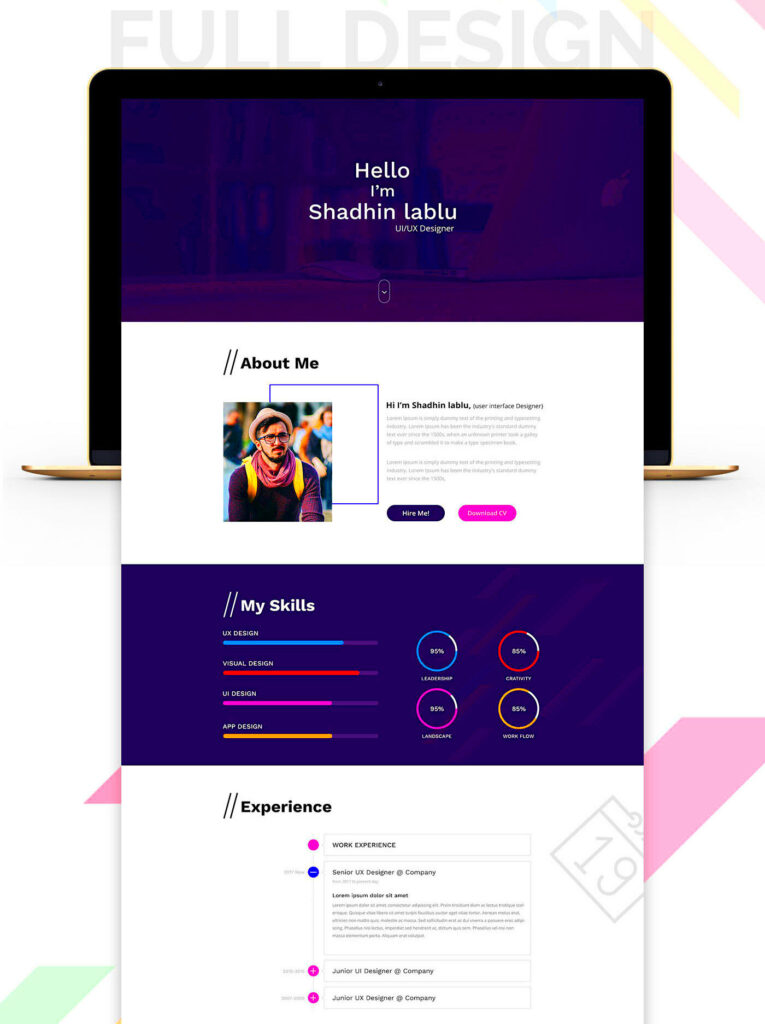
Behance is a fantastic platform for designers and creatives to showcase their work. One of its great features is the ability to download templates that can help you in your projects. Whether you are a graphic designer, web developer, or simply looking for inspiration, downloading templates from Behance can save you time and effort. In this post, we will explore how to find and download these templates easily.
Understanding Behance and Its Features

Behance is a popular online platform owned by Adobe that allows users to display their creative work. Here are some key features of Behance:
- Portfolio Showcase: Creatives can create stunning portfolios to highlight their projects.
- Networking Opportunities: Users can connect with other professionals, share ideas, and collaborate.
- Job Listings: Employers post job opportunities, making it easier for creatives to find work.
- Template Downloads: Many users share free and premium templates, perfect for various design needs.
By understanding these features, you can better navigate the platform and make the most of your experience.
How to Find Templates on Behance
Finding templates on Behance is quite simple. Here’s a step-by-step guide to help you out:
- Create an Account: Sign up for a free account on Behance to access all features.
- Use the Search Bar: Type in keywords related to the type of template you need, like “presentation templates” or “social media templates.”
- Browse Categories: Click on the “Projects” tab and filter by categories to explore different types of templates.
- Check Collections: Some users curate collections of templates. You can find these in the “Collections” section.
- Follow Designers: Follow your favorite designers to stay updated on their latest template uploads.
By following these steps, you can easily discover a wide range of templates that fit your needs.
Steps to Download Templates from Behance
Downloading templates from Behance is a straightforward process. Here’s how you can do it in just a few simple steps:
- Find the Template: Start by searching for the template you need. Use keywords or browse through categories to discover various options.
- Open the Project: Click on the project thumbnail to view it in detail. Make sure it’s the right template by checking the description and images.
- Look for Download Links: Many projects will have a download button or link. This could be located in the project description or as a separate button.
- Choose Your Format: Some templates might be available in different formats (like PSD, AI, or ZIP). Select the format that suits your needs best.
- Download the Template: Click on the download link. If the file is large, it may take a few moments to download. Check your downloads folder once it’s complete.
And that’s it! You’re now ready to start using your new template for your projects.
Using ImgPanda for Easy Downloads
ImgPanda offers a fantastic way to simplify the downloading process for Behance templates. Here’s how you can use ImgPanda:
- Visit ImgPanda: Go to ImgPanda.com in your web browser.
- Copy the URL: Find the template project on Behance and copy the URL from the address bar.
- Paste the URL: On ImgPanda’s homepage, paste the Behance project URL into the provided box.
- Hit Download: Click the download button. ImgPanda will generate a download link for you.
- Save the File: Once the link appears, click it to start downloading the template to your device.
Using ImgPanda not only makes the process quicker but also provides you with a more streamlined experience.
Benefits of Downloading Templates from Behance
Downloading templates from Behance has many advantages that can help boost your projects. Here are some key benefits:
- Time-Saving: Templates provide a ready-made design that you can customize, saving you hours of work.
- Professional Quality: Many templates are created by experienced designers, ensuring high quality and aesthetics.
- Variety of Options: With a vast collection of templates, you can find designs for any project, whether it’s for business or personal use.
- Inspiration: Browsing through different templates can spark your creativity and inspire new ideas for your own designs.
- Cost-Effective: Many templates are available for free, allowing you to access quality designs without spending money.
By downloading templates from Behance, you can enhance your work and bring your ideas to life efficiently.
Common Issues When Downloading Templates
While downloading templates from Behance is usually straightforward, you might encounter some common issues. Here are a few problems to watch out for and how to handle them:
- Broken Download Links: Sometimes, a link may not work. This can happen if the designer removed the file or if there’s a technical glitch. Try refreshing the page or checking back later.
- File Format Issues: You might download a file format that your software doesn’t support. Before downloading, check the format to ensure it’s compatible with your design tools.
- Unclear Licensing: Some templates come with specific usage rights. Always read the project description to understand how you can use the template legally.
- Slow Download Speeds: If your internet connection is slow, downloading large files can take time. Consider downloading during off-peak hours or switching to a more stable connection.
- Missing Files: Occasionally, a ZIP file may not include all the necessary components. If something seems missing, check the comments section for any updates from the designer.
Being aware of these issues can save you time and frustration when downloading templates.
Tips for Finding Quality Templates
Finding quality templates on Behance doesn’t have to be hard. Here are some helpful tips to guide you in your search:
- Check Designer Reputation: Look for templates from well-known designers or those with a strong following. Their work often reflects quality and creativity.
- Read Reviews and Comments: Take a moment to check the comments section for feedback from other users. This can provide insight into the template’s usability and quality.
- Look for Updated Projects: Choose templates that have been recently updated. This often means they are compatible with the latest design trends and software.
- Preview Before Downloading: Always take a look at the preview images. Ensure the template meets your needs and matches your style.
- Consider Your Purpose: Think about what you need the template for. Some templates are better suited for presentations, while others work well for social media or web design.
By following these tips, you can find high-quality templates that enhance your projects.
Frequently Asked Questions
Here are some common questions people have about downloading templates from Behance:
- Can I use Behance templates for commercial projects?
It depends on the license provided by the designer. Always check the project description for usage rights. - Are all templates on Behance free?
No, while many templates are free, some may require a purchase. Look for a “buy now” or “premium” tag. - What if I can’t find the template I want?
If you can’t find a specific template, try different keywords or explore related categories. You can also follow designers for updates. - Can I edit the templates after downloading?
Yes, most templates are fully editable. You can customize them to fit your project’s needs. - How do I report a broken download link?
You can leave a comment on the project or contact the designer directly to inform them about the issue.
These FAQs should help clarify any doubts you may have when downloading templates from Behance.
Conclusion on Downloading Templates from Behance
Downloading templates from Behance can greatly enhance your design projects, offering you access to a wide range of professional-quality resources. By following the steps outlined in this guide, you can find and download templates that fit your needs while avoiding common issues. Whether you’re a novice or an experienced designer, using platforms like ImgPanda can simplify the process further. Remember to check the quality and licensing of each template, as this will ensure you use them effectively and legally. With the right approach, you can tap into Behance’s vast creative community to elevate your work and inspire new ideas.